> ## Documentation Index
> Fetch the complete documentation index at: https://trickest.com/llms.txt
> Use this file to discover all available pages before exploring further.
# Trickest Changelog 2025
> Platform updates and improvements in 2025
 ## Monthly Activity Report
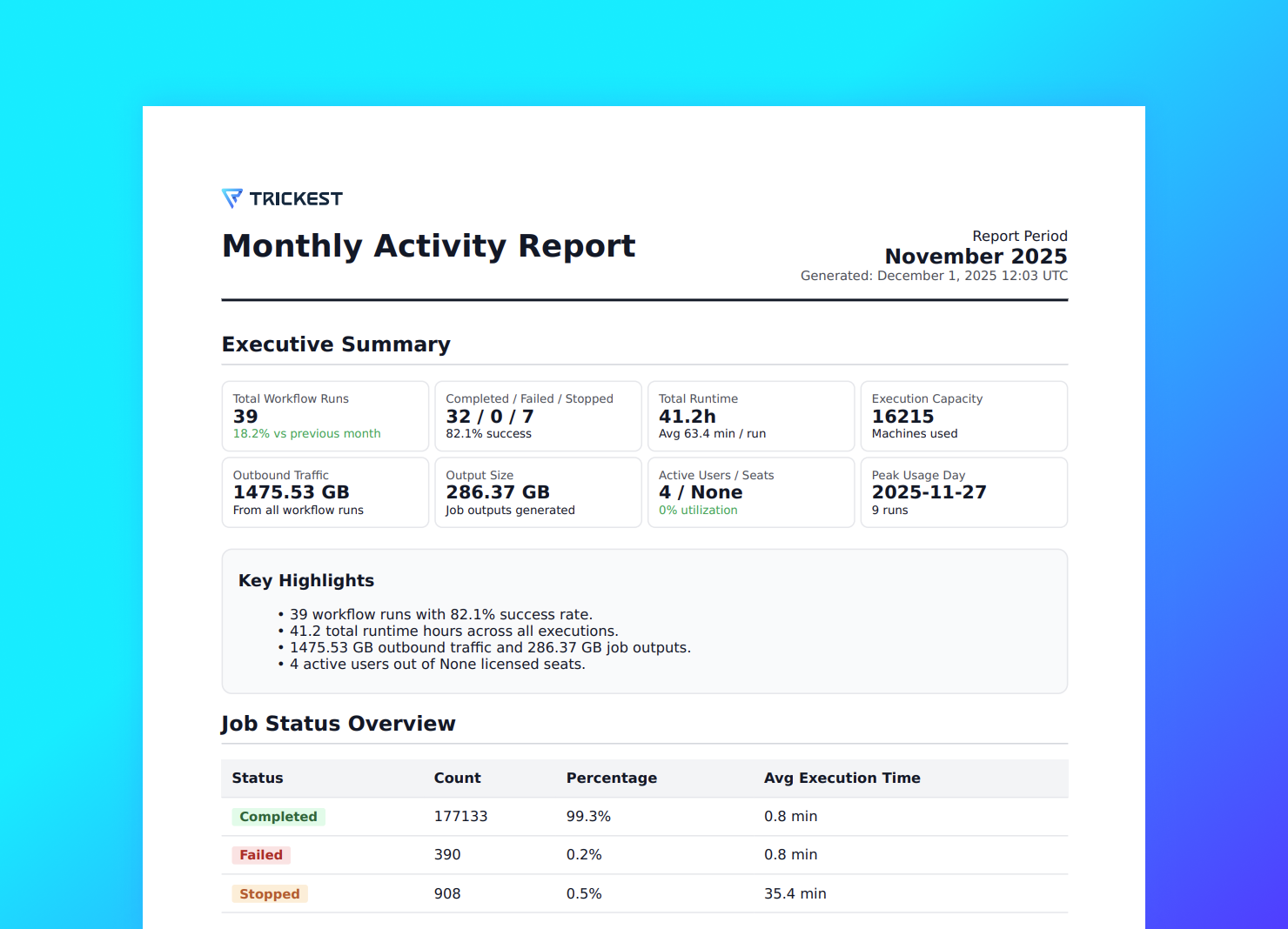
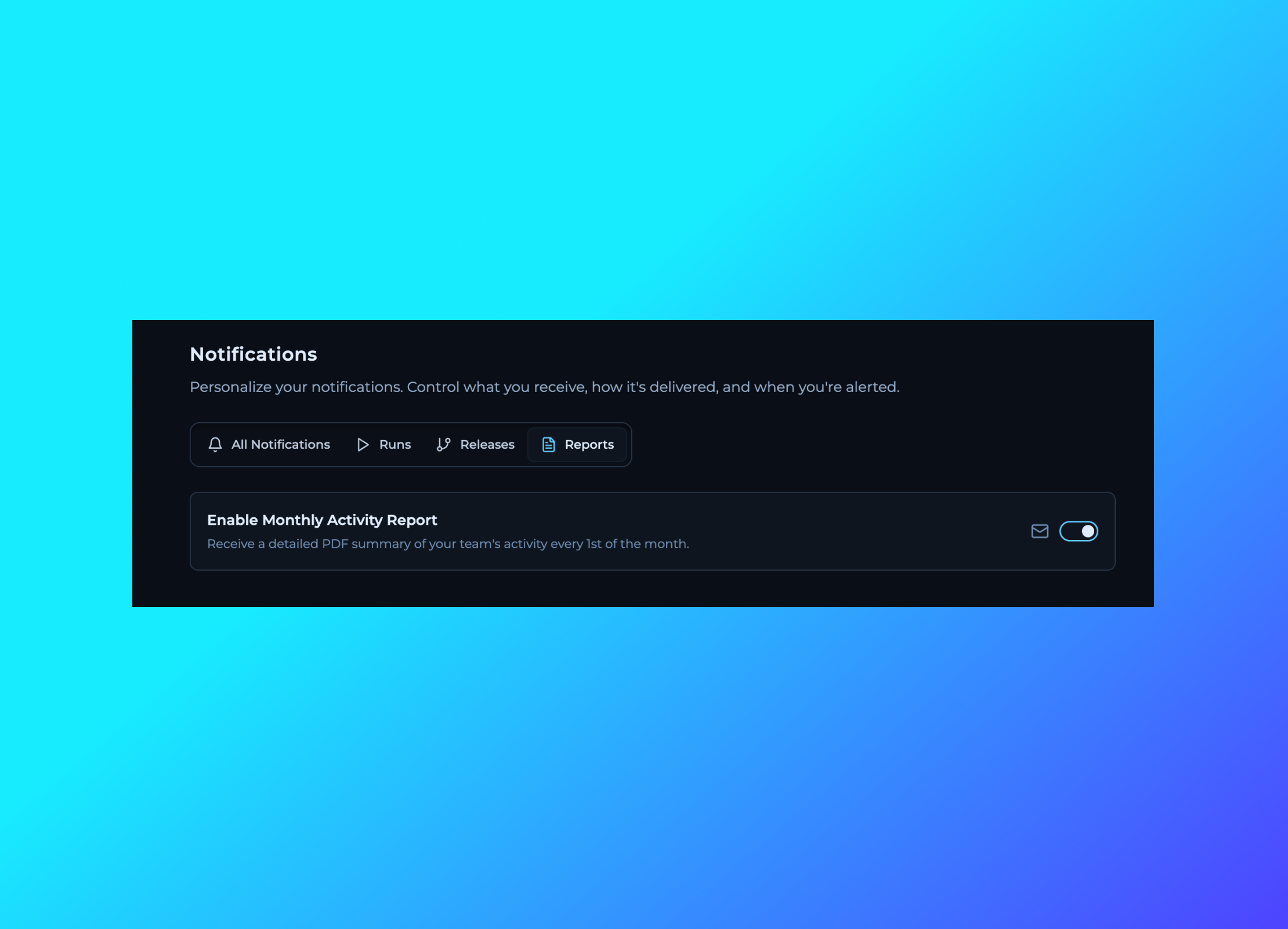
Introducing Monthly Activity Reports - a comprehensive overview of your workspace activity over the past month. Get insights into workflow executions, resource usage, team performance, and key metrics that help you understand how your workspace is being utilized. The report provides valuable data to help optimize your automation workflows and track your team's productivity trends.
## Monthly Activity Report
Introducing Monthly Activity Reports - a comprehensive overview of your workspace activity over the past month. Get insights into workflow executions, resource usage, team performance, and key metrics that help you understand how your workspace is being utilized. The report provides valuable data to help optimize your automation workflows and track your team's productivity trends.
 ## User Account Management - Activate & Deactivate Users
Added the ability to activate and deactivate user accounts within your workspace. This feature allows administrators to temporarily disable user access without removing them from the team, making it easier to manage team permissions and maintain security.
## User Account Management - Activate & Deactivate Users
Added the ability to activate and deactivate user accounts within your workspace. This feature allows administrators to temporarily disable user access without removing them from the team, making it easier to manage team permissions and maintain security.
 ## Global Workflow Timeout Configuration
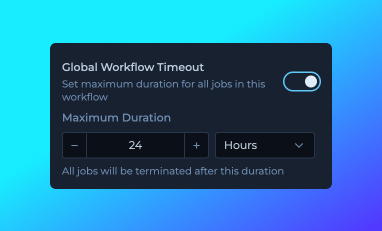
Introduced global workflow timeout configuration in Workflow Details, allowing you to set a maximum execution time that applies to each node in your workflow. Each node will be automatically terminated if it exceeds the specified duration, with a maximum limit of 24 hours. This timeout is now displayed in the run item popover within the Editor's Runs tab, providing better visibility into execution constraints and helping prevent individual jobs from running indefinitely.
## Enhanced DNA UI in Run Item Popover
Updated the DNA (Dynamic Node Allocation) interface within the run item popover in the Editor's Runs tab. The new design provides clearer visualization and improved user experience when viewing DNA information for your workflow executions.
## Global Workflow Timeout Configuration
Introduced global workflow timeout configuration in Workflow Details, allowing you to set a maximum execution time that applies to each node in your workflow. Each node will be automatically terminated if it exceeds the specified duration, with a maximum limit of 24 hours. This timeout is now displayed in the run item popover within the Editor's Runs tab, providing better visibility into execution constraints and helping prevent individual jobs from running indefinitely.
## Enhanced DNA UI in Run Item Popover
Updated the DNA (Dynamic Node Allocation) interface within the run item popover in the Editor's Runs tab. The new design provides clearer visualization and improved user experience when viewing DNA information for your workflow executions.
 ## Improved Machine Scaling Behavior
[Machine scaling](https://trickest.com/docs/key-concepts/machines-and-fleet#how-it-works) now adjusts dynamically during workflow execution, right-sizing capacity as demand changes.
This means you can execute more with the same number of machines, because capacity is automatically distributed across your entire account.
## Improved Machine Scaling Behavior
[Machine scaling](https://trickest.com/docs/key-concepts/machines-and-fleet#how-it-works) now adjusts dynamically during workflow execution, right-sizing capacity as demand changes.
This means you can execute more with the same number of machines, because capacity is automatically distributed across your entire account.

 ## Export IP Addresses from Runs
Added the ability to export IP addresses used by workflow runs. Access this feature through the run actions menu to view and copy all IP addresses associated with a specific run execution. Useful for whitelisting, network analysis, and debugging purposes.
## Export IP Addresses from Runs
Added the ability to export IP addresses used by workflow runs. Access this feature through the run actions menu to view and copy all IP addresses associated with a specific run execution. Useful for whitelisting, network analysis, and debugging purposes.
 ## Job Timeout Configuration
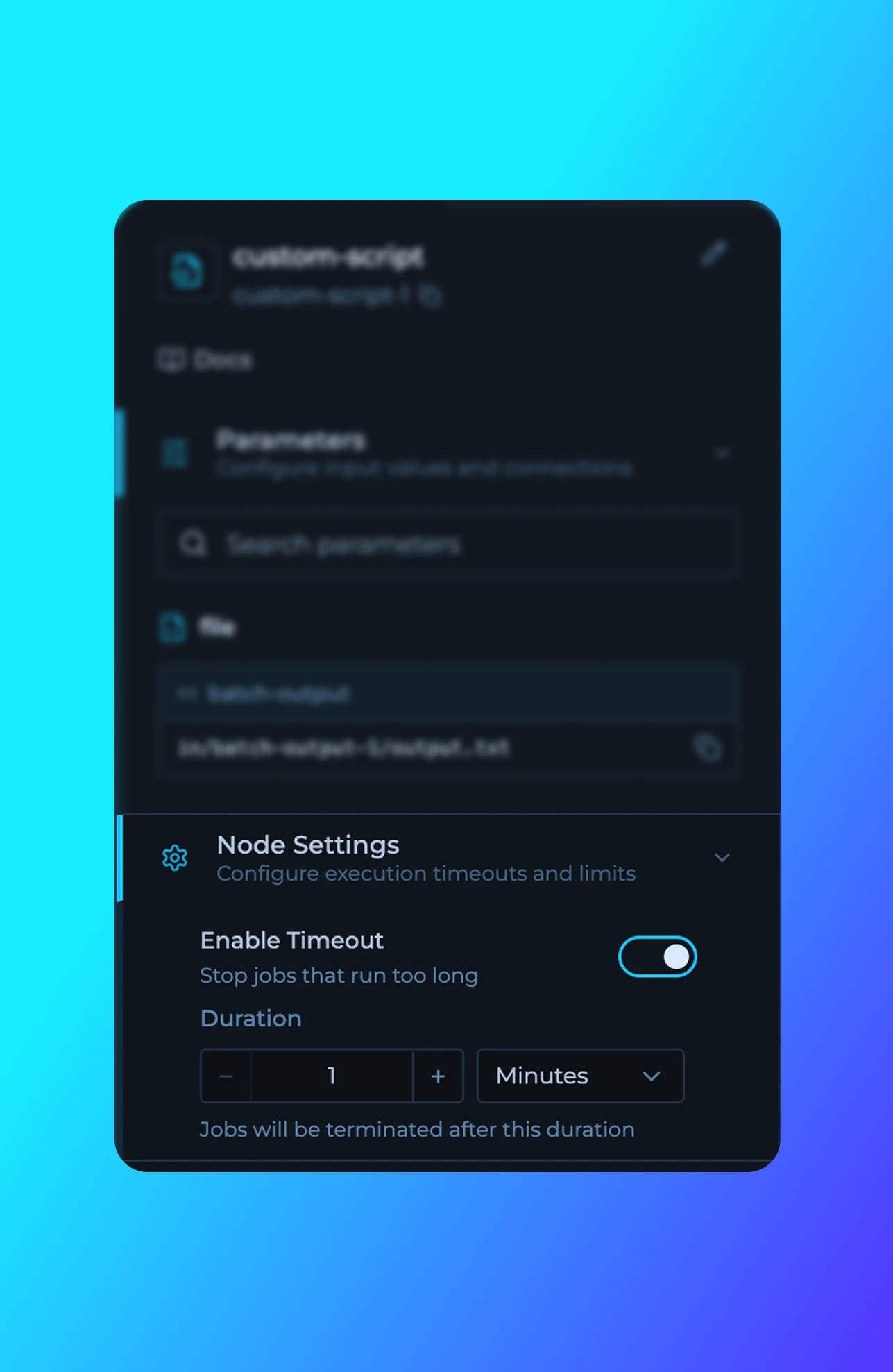
Added the ability to configure job timeouts for individual nodes in workflows. Set custom timeout durations to automatically stop jobs that run longer than expected, improving resource management and preventing workflows from hanging indefinitely.
## Documentation Updates
Documentation updates across tutorials and library reference materials.
**New Tutorials:**
* [Private Scripts](https://trickest.com/docs/key-concepts/building-blocks/scripts) - Guide on creating and managing private scripts for Enterprise users
* [Solutions](https://trickest.com/docs/key-concepts/solutions-database) - Custom solutions, vulnerability assessment, and DAST workflows
* [Insights & Datasets](https://trickest.com/docs/key-concepts/solutions-database) - Creating and managing datasets in Solutions
* [Query Language](https://trickest.com/docs/using-the-app/database-management/querying) - Trickest Query Language (TQL) syntax and usage
## Workflow Rendering Fix for Chrome
Fixed an issue where splitter nodes were not rendering correctly in the latest version of Chrome browser.
## Job Timeout Configuration
Added the ability to configure job timeouts for individual nodes in workflows. Set custom timeout durations to automatically stop jobs that run longer than expected, improving resource management and preventing workflows from hanging indefinitely.
## Documentation Updates
Documentation updates across tutorials and library reference materials.
**New Tutorials:**
* [Private Scripts](https://trickest.com/docs/key-concepts/building-blocks/scripts) - Guide on creating and managing private scripts for Enterprise users
* [Solutions](https://trickest.com/docs/key-concepts/solutions-database) - Custom solutions, vulnerability assessment, and DAST workflows
* [Insights & Datasets](https://trickest.com/docs/key-concepts/solutions-database) - Creating and managing datasets in Solutions
* [Query Language](https://trickest.com/docs/using-the-app/database-management/querying) - Trickest Query Language (TQL) syntax and usage
## Workflow Rendering Fix for Chrome
Fixed an issue where splitter nodes were not rendering correctly in the latest version of Chrome browser.
 ## Improved Main Navigation
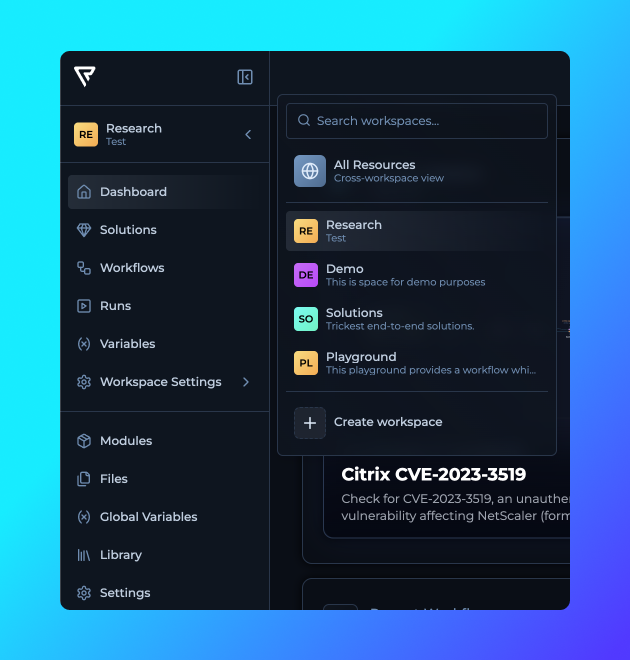
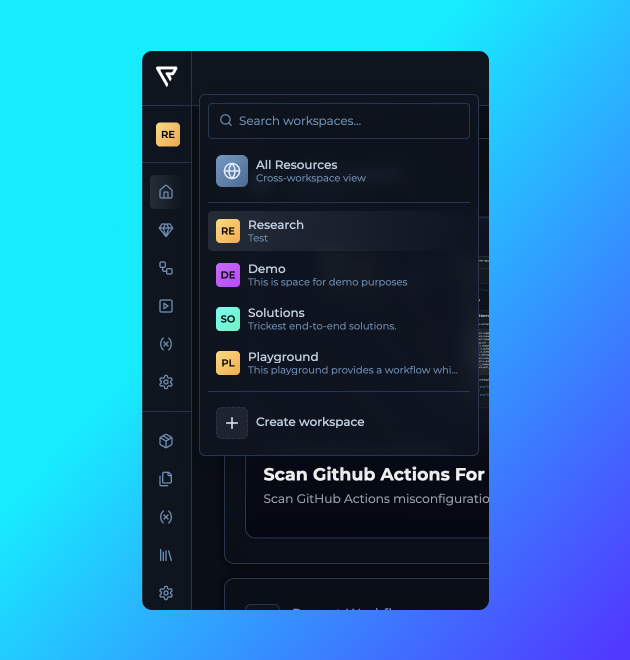
Navigation is now faster and clearer, with more visibility and fewer clicks needed to reach key sections.
## Improved Main Navigation
Navigation is now faster and clearer, with more visibility and fewer clicks needed to reach key sections.
 ## Edit Datasets in Solutions
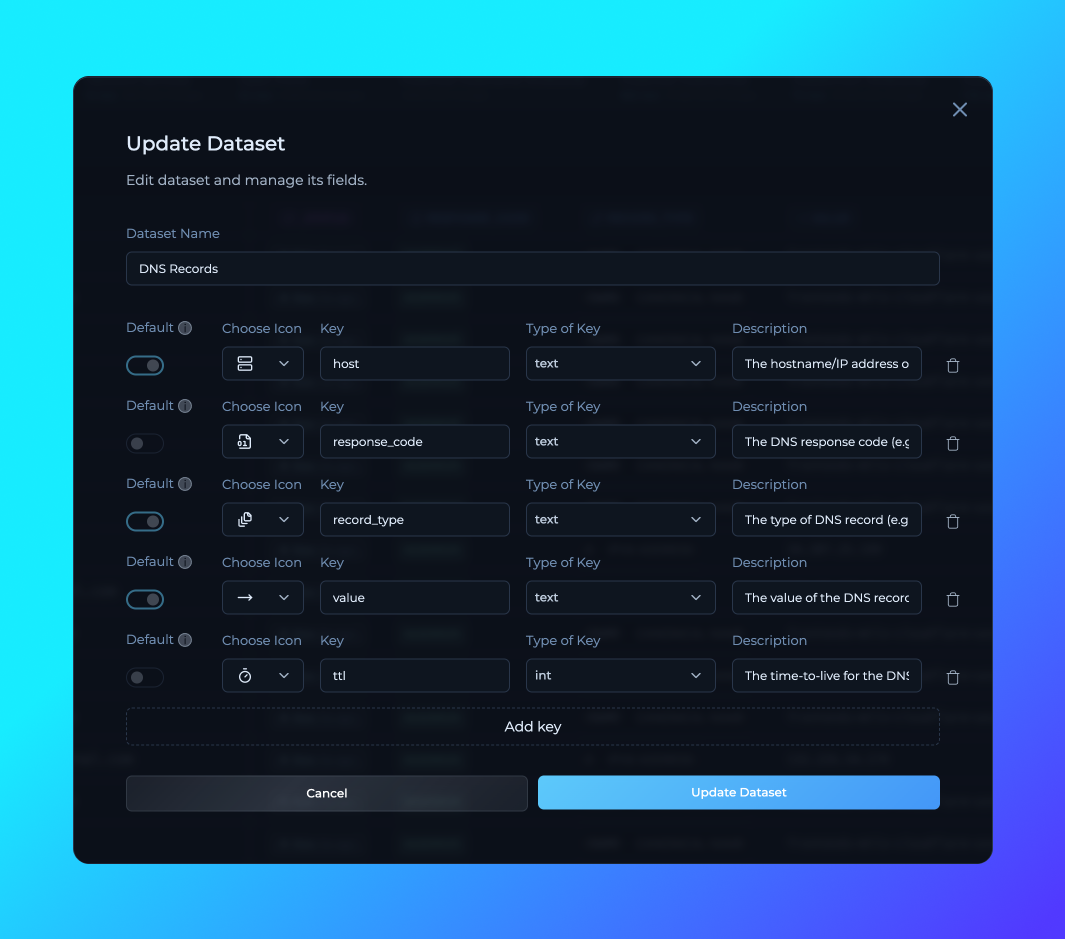
Added the ability to add, remove, and edit dataset columns directly inside Solutions.
## Edit Datasets in Solutions
Added the ability to add, remove, and edit dataset columns directly inside Solutions.
 ## Cross-Workspace Solution Management
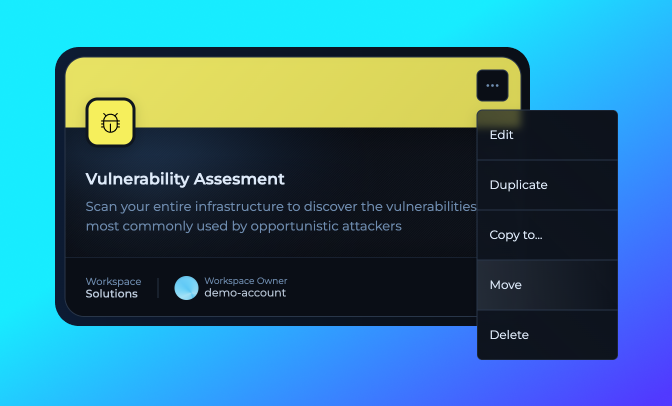
You can now move solutions seamlessly between workspaces, giving teams more flexibility.
## Bug Fixes
Several fixes to improve stability and usability:
**Key Benefits:**
* **Abort Button**: Fixed issue where abort button still appeared after a workflow was stopped.
* **Workflow Page Search**: Fixed disappearing search bar in workspace workflow pages.
* **Pagination**: Added pagination to long lists on the same page for smoother navigation.
## Cross-Workspace Solution Management
You can now move solutions seamlessly between workspaces, giving teams more flexibility.
## Bug Fixes
Several fixes to improve stability and usability:
**Key Benefits:**
* **Abort Button**: Fixed issue where abort button still appeared after a workflow was stopped.
* **Workflow Page Search**: Fixed disappearing search bar in workspace workflow pages.
* **Pagination**: Added pagination to long lists on the same page for smoother navigation.
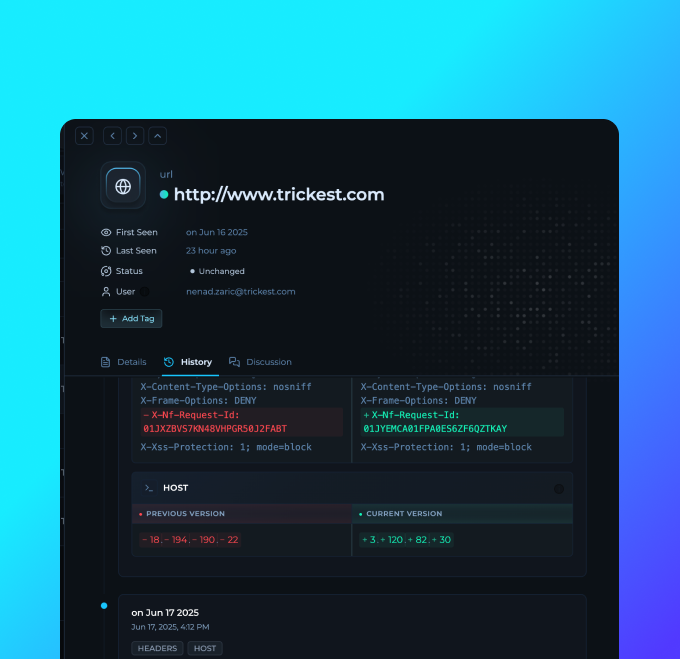 ## Row History UI Update
* More clear changes between different keys in the row history
* Improved search capability
## Workspace Persistence & Navigation Improvements
Enhanced main navigation with persistent workspace state and improved user experience.
**Key Benefits:**
* **Workspace State Persistence**: The platform now automatically saves and restores your last visited workspace, redirecting you to the same workspace when you return to the platform.
* **Persistent Navigation**: Main navigation stays open during workspace interactions, allowing seamless browsing between workspaces without constantly reopening menus.
* **Workspace Created Dates**: Added creation dates under workspace names in the dropdown for better workspace identification and management.
## Modules in Modules
Now you can build modules using other modules. Check the right sidebar of the Module Workflow Editor for available modules.
**Key Benefits:**
* **Development**: Combine existing modules to create different module combinations for your specific use cases.
* **Maintenance**: Updating one module used accross different modules with update it on all of them.
* **Reduced Complexity**: Abstract complex multi-step processes into simple, reusable module nodes.
* **Team Collaboration**: Build on each other's work and create organization-wide module libraries.
## Row History UI Update
* More clear changes between different keys in the row history
* Improved search capability
## Workspace Persistence & Navigation Improvements
Enhanced main navigation with persistent workspace state and improved user experience.
**Key Benefits:**
* **Workspace State Persistence**: The platform now automatically saves and restores your last visited workspace, redirecting you to the same workspace when you return to the platform.
* **Persistent Navigation**: Main navigation stays open during workspace interactions, allowing seamless browsing between workspaces without constantly reopening menus.
* **Workspace Created Dates**: Added creation dates under workspace names in the dropdown for better workspace identification and management.
## Modules in Modules
Now you can build modules using other modules. Check the right sidebar of the Module Workflow Editor for available modules.
**Key Benefits:**
* **Development**: Combine existing modules to create different module combinations for your specific use cases.
* **Maintenance**: Updating one module used accross different modules with update it on all of them.
* **Reduced Complexity**: Abstract complex multi-step processes into simple, reusable module nodes.
* **Team Collaboration**: Build on each other's work and create organization-wide module libraries.
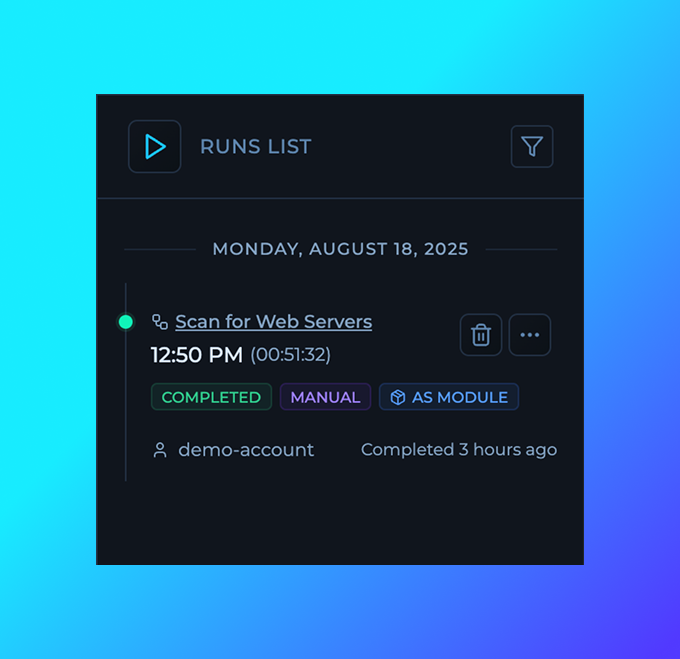 ## Module Usage Runs
Modules now display a list of runs where they are used across your workflows. This provides instant visibility into module adoption, helps identify dependencies, and enables better assessment when updating or maintaining modules.
## Module Usage Runs
Modules now display a list of runs where they are used across your workflows. This provides instant visibility into module adoption, helps identify dependencies, and enables better assessment when updating or maintaining modules.
 ## Stdout and Stderr Download
You can now download stdout and stderr from each node.
## Stdout and Stderr Download
You can now download stdout and stderr from each node.
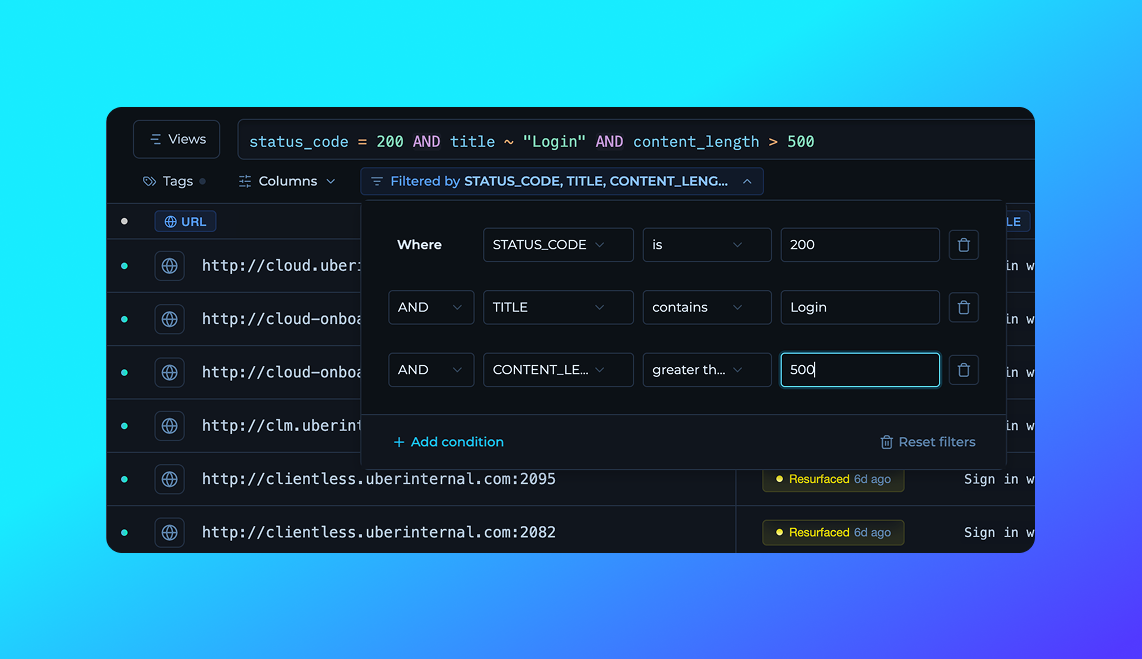 ## Solutions Filters
Instead of writing your TQL queries manually, the workflow filters will autogenerate them for you for easier and faster filtering of your solutions.
## Workflow Editor Optimizations
* Reduced CPU usage for complex workflows
* Improved panning on connecting nodes that are far away
* Added grid background pattern for better visibility of the canvas
* Various performance improvements
## UI Updates & Fixes
* Bug Fixes
* Running animation on workflow nodes now correctly stops when execution is completed or finished.
* Refactor
* Streamlined and refactored the alert system for more consistent and predictable behavior across the platform.
## Column Styling Upgrade
* Improvements:
* Enhanced column styles for better visual clarity and consistency across tables.
* Updated column configuration UI/UX with improved layout, responsiveness, and more intuitive controls.
* Bug Fixes:
* Fixed issues in main navigation.
## Solutions Filters
Instead of writing your TQL queries manually, the workflow filters will autogenerate them for you for easier and faster filtering of your solutions.
## Workflow Editor Optimizations
* Reduced CPU usage for complex workflows
* Improved panning on connecting nodes that are far away
* Added grid background pattern for better visibility of the canvas
* Various performance improvements
## UI Updates & Fixes
* Bug Fixes
* Running animation on workflow nodes now correctly stops when execution is completed or finished.
* Refactor
* Streamlined and refactored the alert system for more consistent and predictable behavior across the platform.
## Column Styling Upgrade
* Improvements:
* Enhanced column styles for better visual clarity and consistency across tables.
* Updated column configuration UI/UX with improved layout, responsiveness, and more intuitive controls.
* Bug Fixes:
* Fixed issues in main navigation.
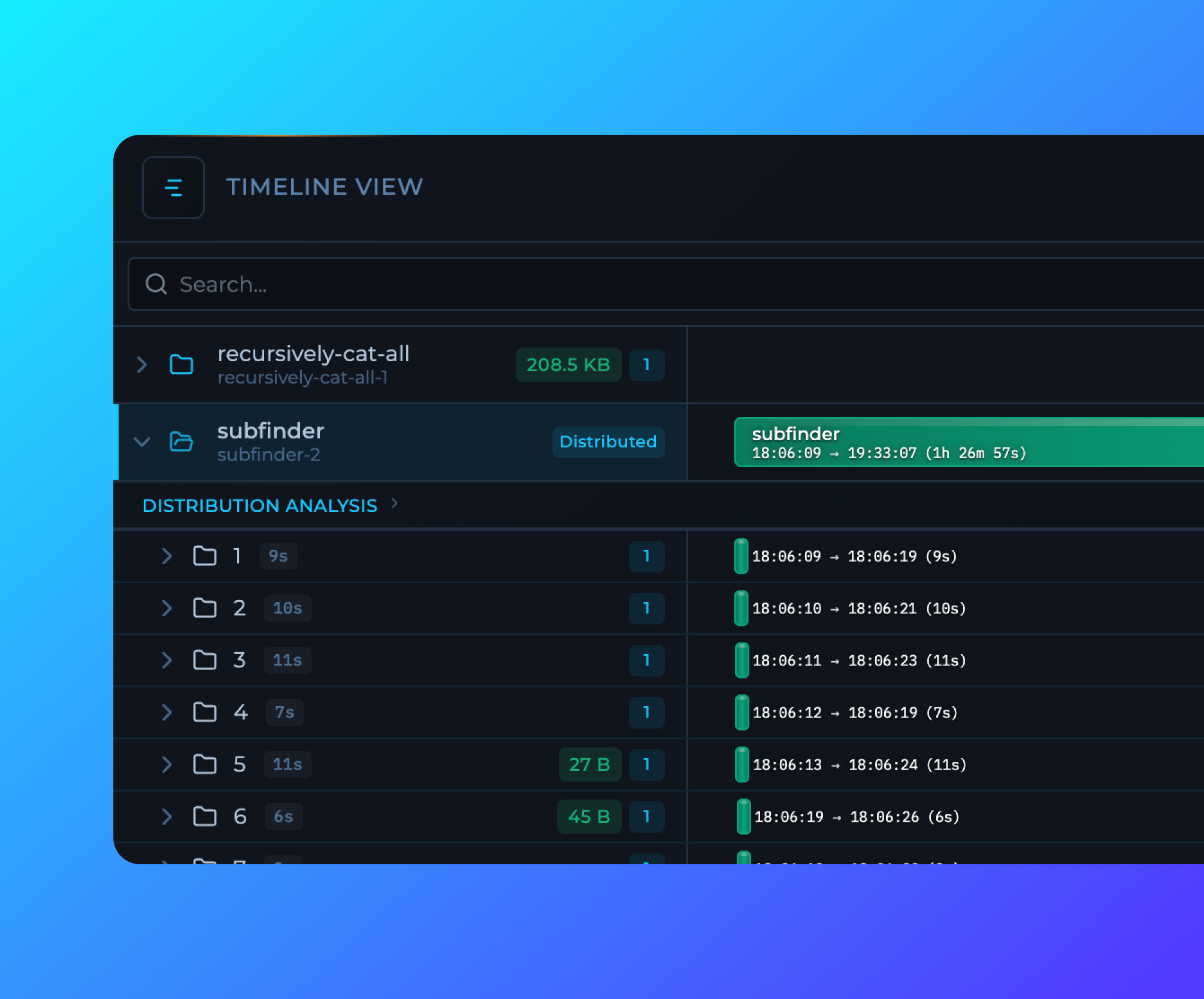
 ## Run Timelines
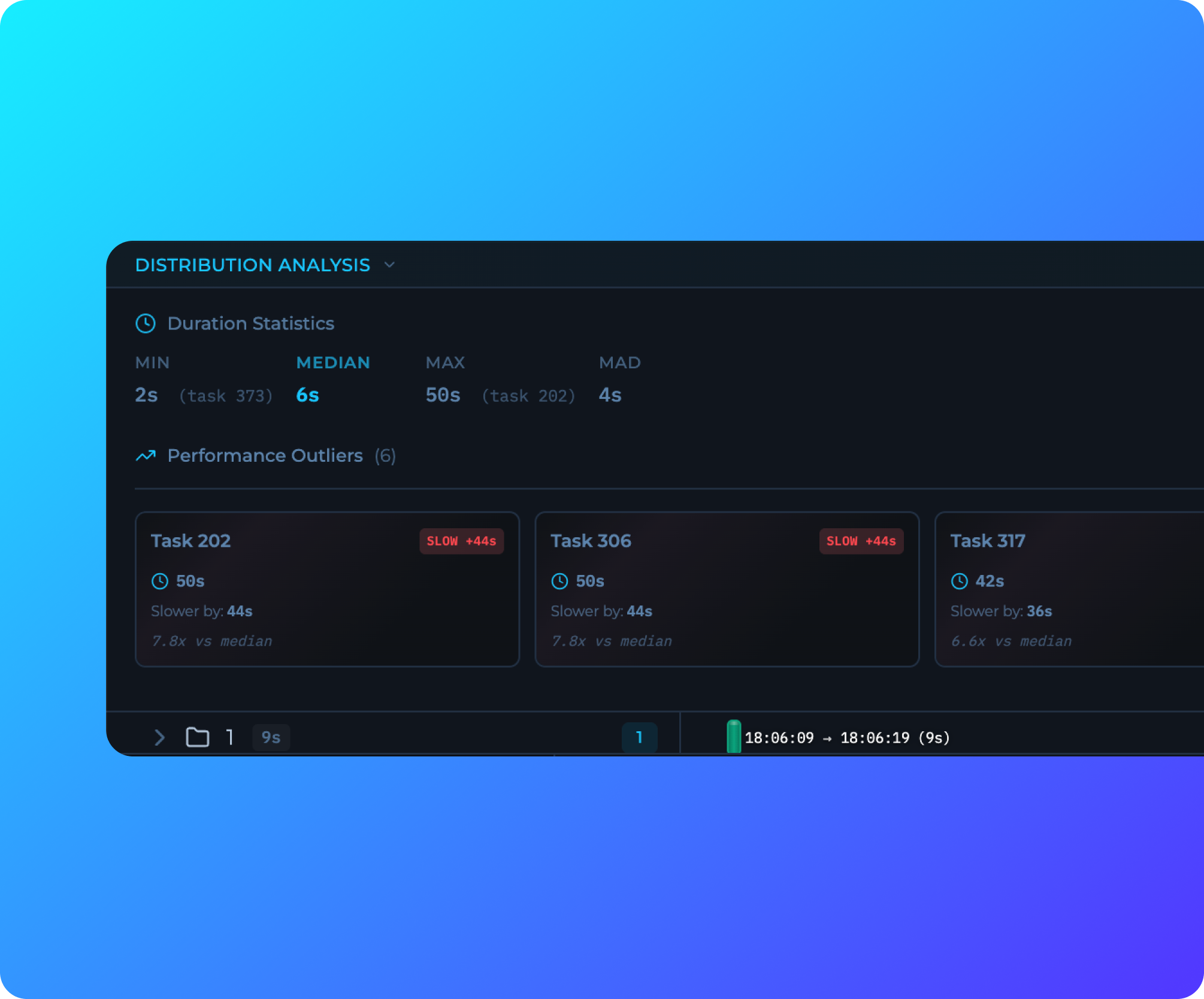
New timeline visualization in the Workflow Editor provides real-time execution insights, task duration tracking, and automatic outlier detection. See at a glance which tasks are running slower or faster than expected, with detailed performance analytics for distributed workflows.
## Run Timelines
New timeline visualization in the Workflow Editor provides real-time execution insights, task duration tracking, and automatic outlier detection. See at a glance which tasks are running slower or faster than expected, with detailed performance analytics for distributed workflows.
 ## Move Workflows
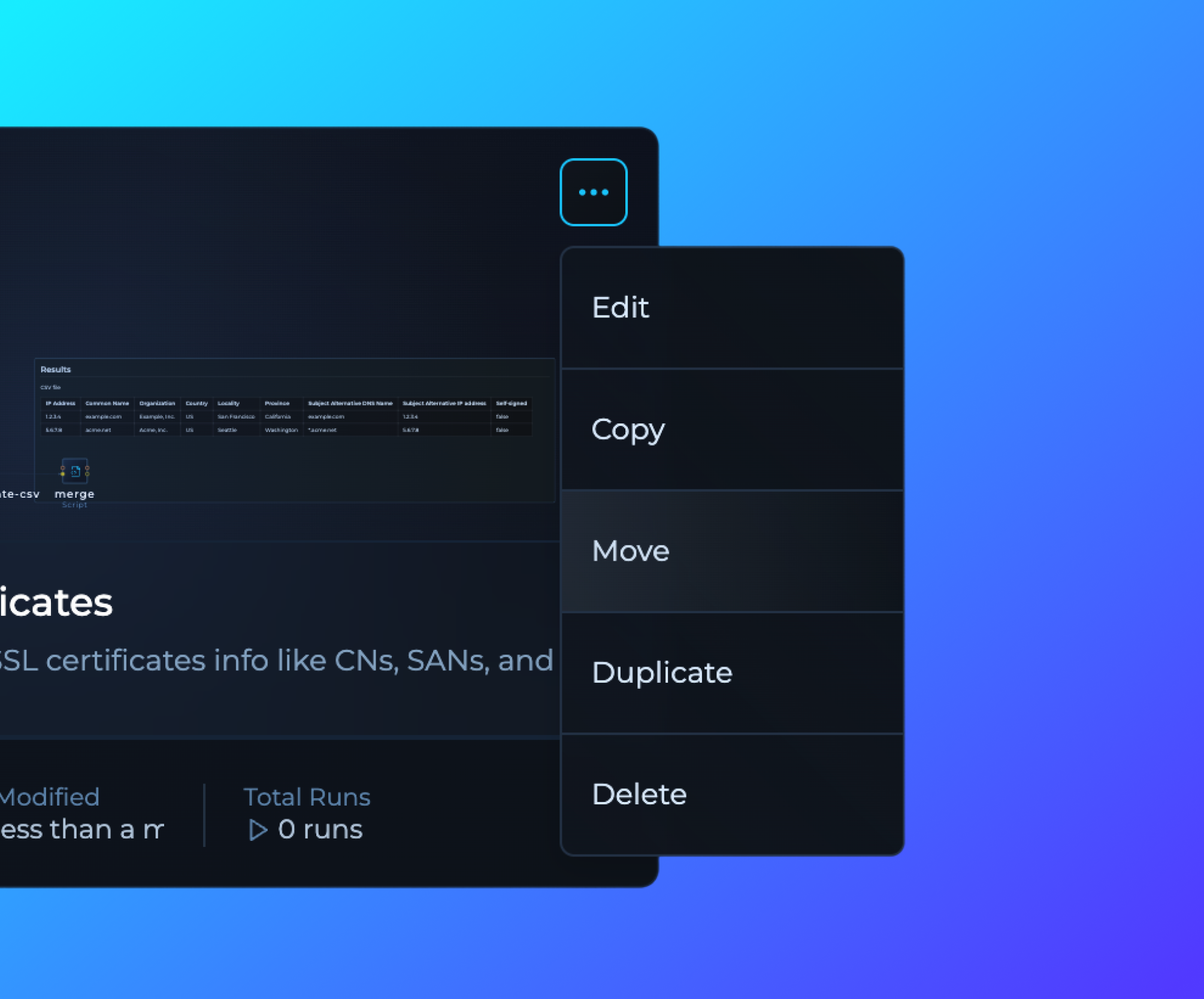
Workflows can now be moved between workspaces using the new Move option in the workflow card dropdown menu when inside the Workspace or on All Workflows page.
## WORKFLOW\_NAME Variable Added
Added new WORKFLOW\_NAME workflow variable, allowing users to reference the current workflow name in their scripts and tools using `${{vars.WORKFLOW_NAME}}` format.
## Minor Bug Fixes
Fixed various UI issues, including:
* Variables display
* Builder run functionality for solutions
* Improved audit log event mapping
* Replaced matrix parameters with query parameters for more consistent runs navigation
* Fixed broken links across the interface
* Resolved UX issue where filter and search bars disappeared when no results were available in the runs view
## Move Workflows
Workflows can now be moved between workspaces using the new Move option in the workflow card dropdown menu when inside the Workspace or on All Workflows page.
## WORKFLOW\_NAME Variable Added
Added new WORKFLOW\_NAME workflow variable, allowing users to reference the current workflow name in their scripts and tools using `${{vars.WORKFLOW_NAME}}` format.
## Minor Bug Fixes
Fixed various UI issues, including:
* Variables display
* Builder run functionality for solutions
* Improved audit log event mapping
* Replaced matrix parameters with query parameters for more consistent runs navigation
* Fixed broken links across the interface
* Resolved UX issue where filter and search bars disappeared when no results were available in the runs view
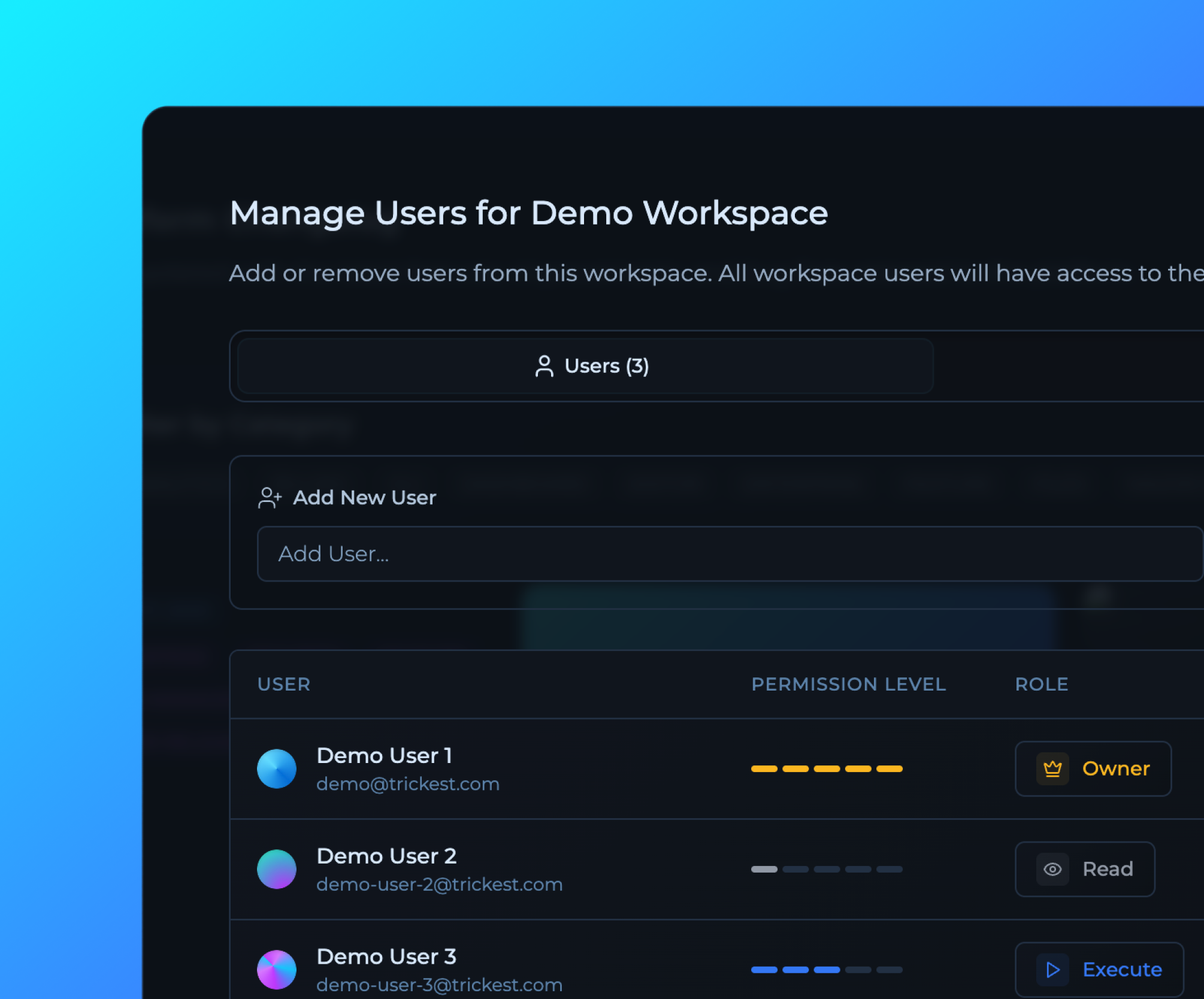 ## Advanced Role-Based Access Control (RBAC) System
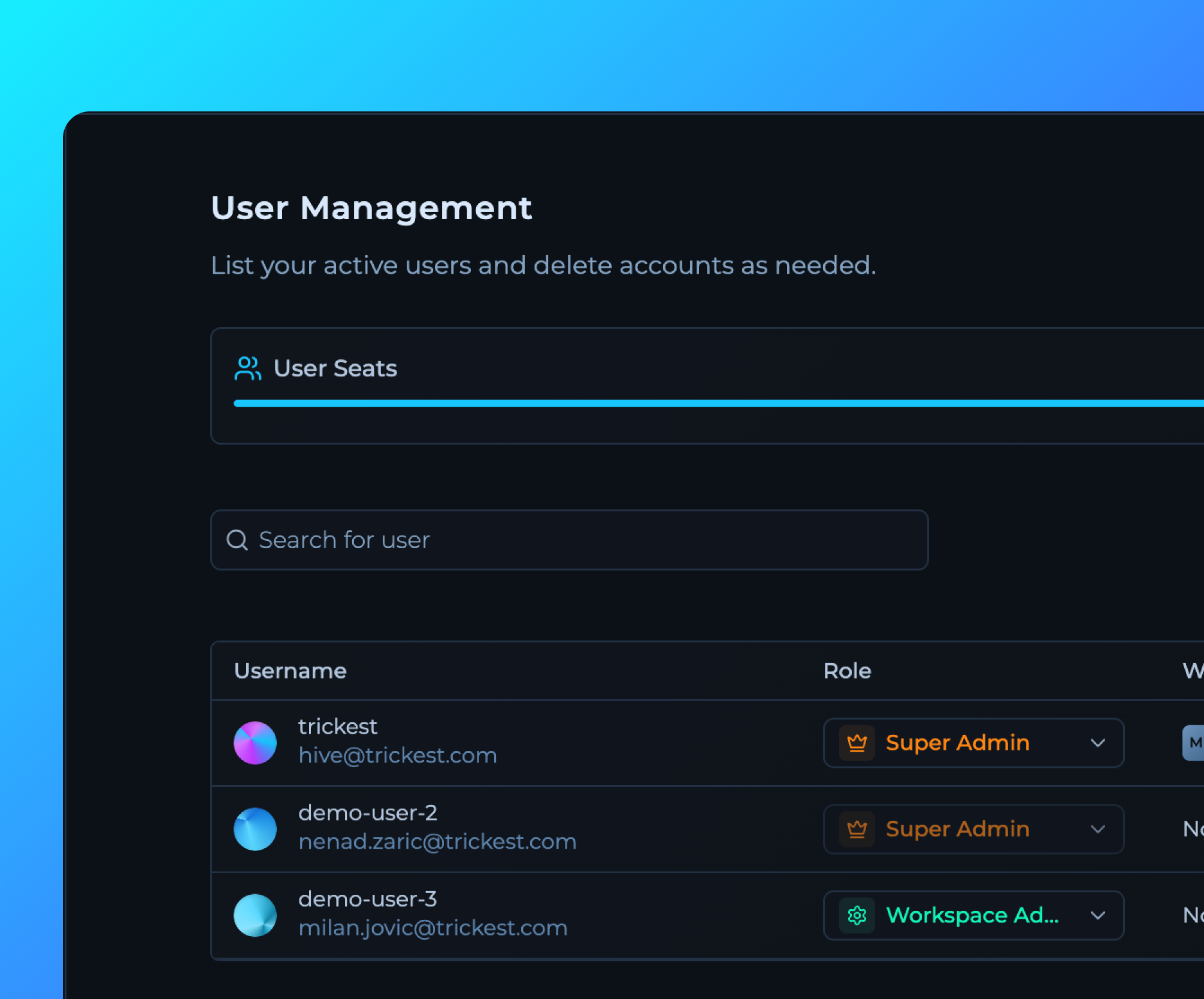
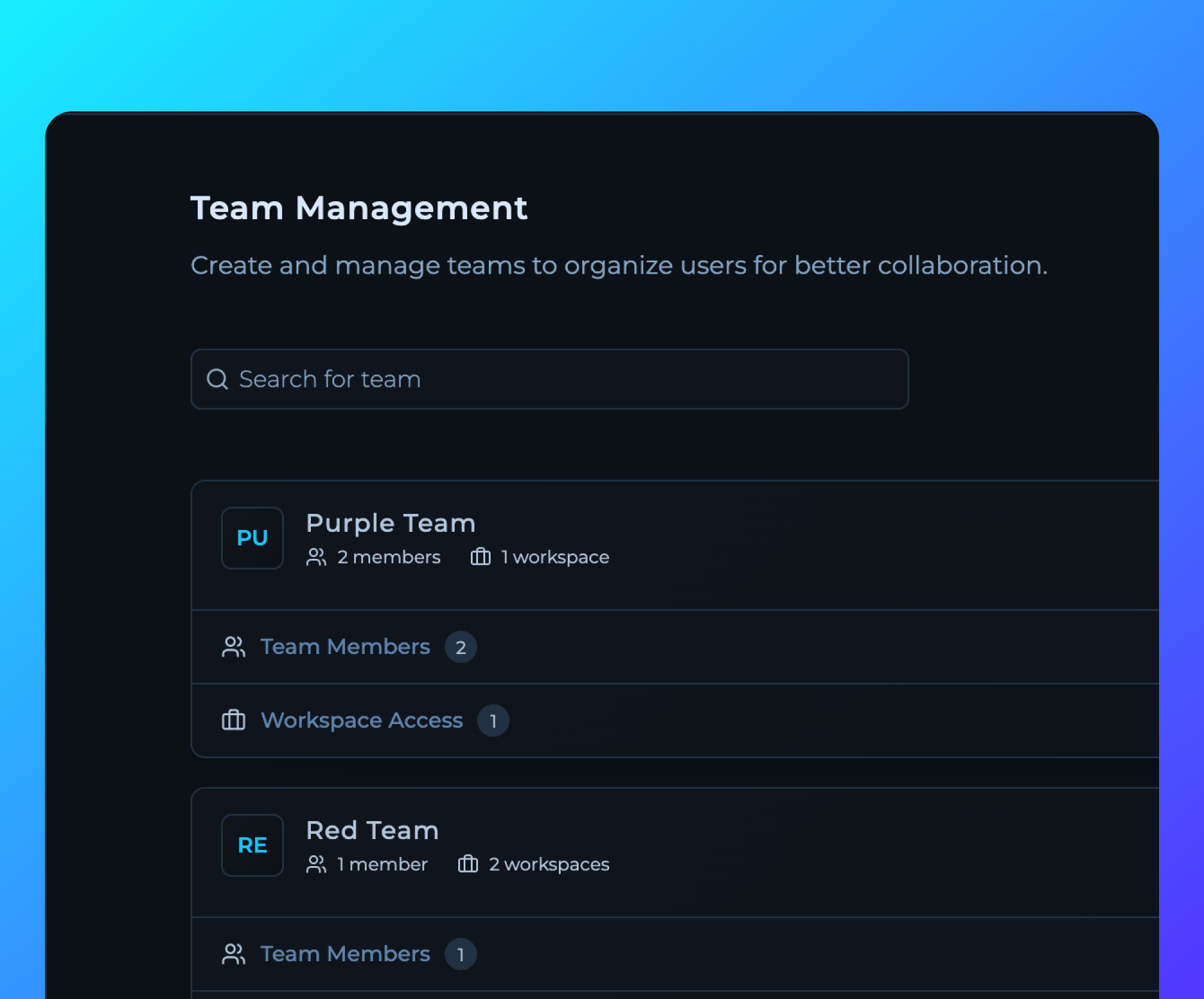
Comprehensive RBAC system with granular permissions, account, team and workspace management.
[Contact Us](https://trickest.com/talk-with-us)
## Advanced Role-Based Access Control (RBAC) System
Comprehensive RBAC system with granular permissions, account, team and workspace management.
[Contact Us](https://trickest.com/talk-with-us)
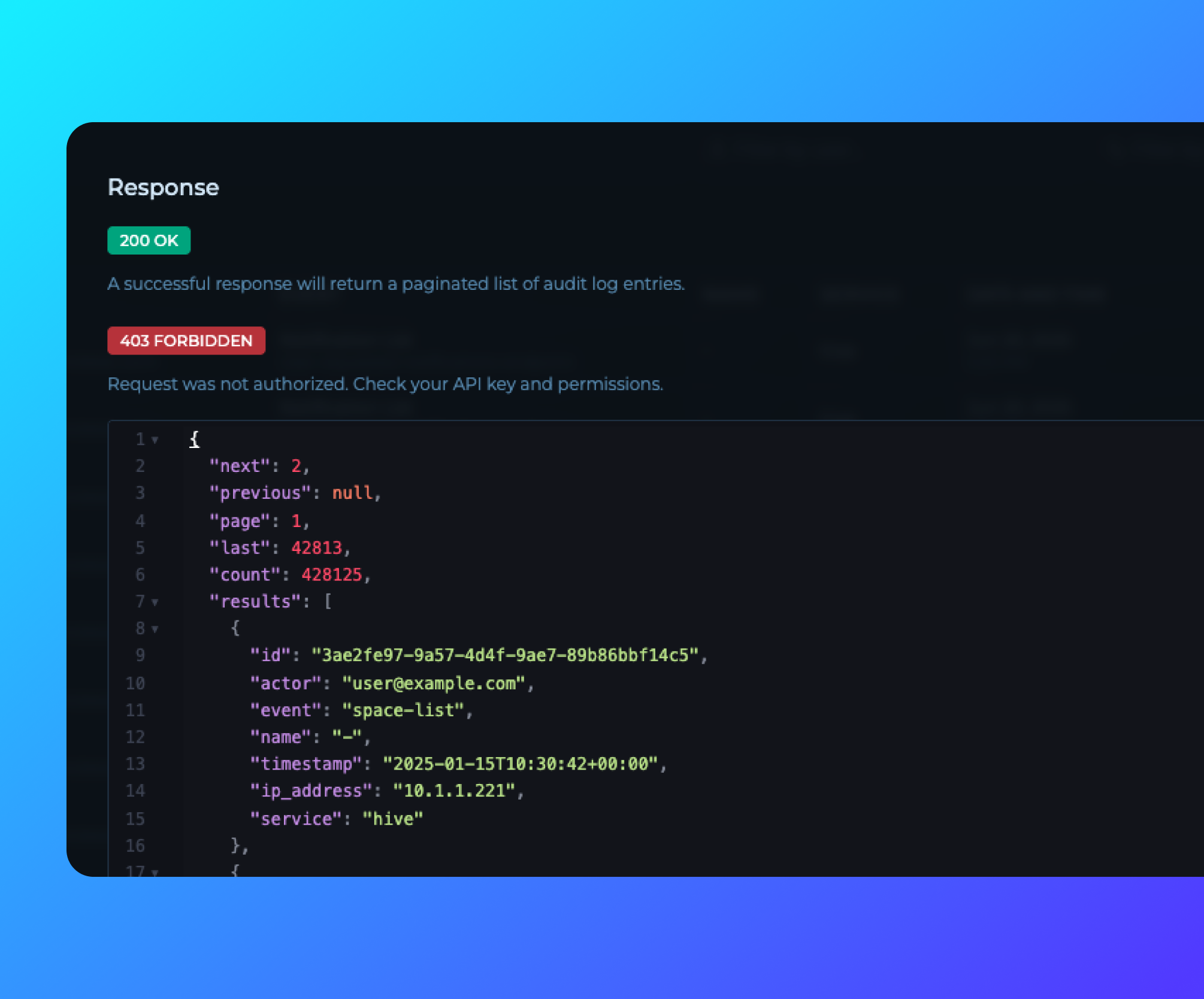 ## Audit Logs API Documentation
Comprehensive API documentation for Audit Logs is now publicly available. Enterprise customers can access the documentation directly from the [Audit Logs page](https://trickest.io/dashboard/settings/audit-logs) by clicking the "API Docs" button, enabling programmatic access to audit data for security and compliance.
## Audit Logs API Documentation
Comprehensive API documentation for Audit Logs is now publicly available. Enterprise customers can access the documentation directly from the [Audit Logs page](https://trickest.io/dashboard/settings/audit-logs) by clicking the "API Docs" button, enabling programmatic access to audit data for security and compliance.
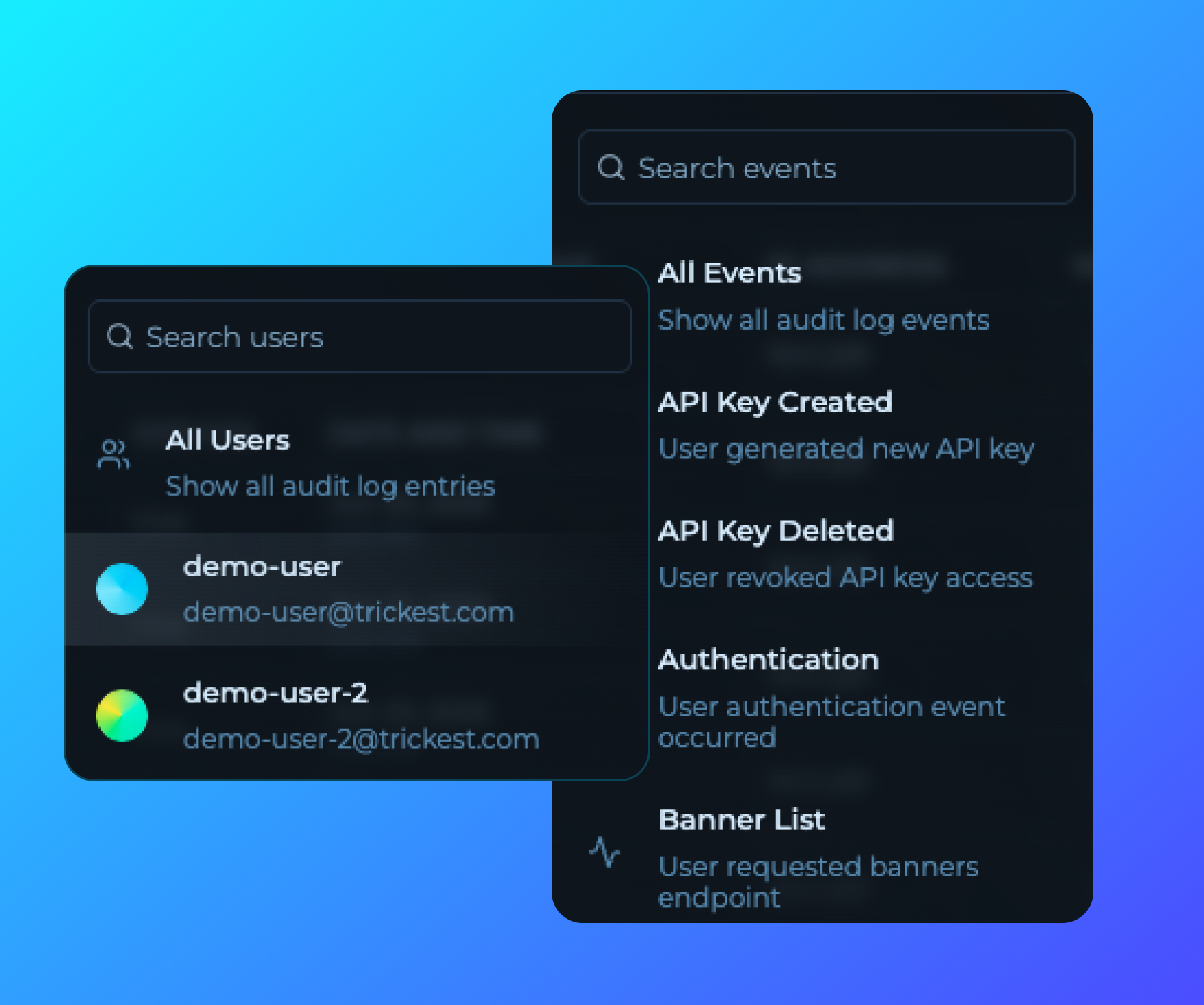 ## Custom Filtering for Audit Logs
Enhanced audit logs with advanced filtering capabilities, allowing enterprise users to filter logs by use and action type, user and more.
## Custom Filtering for Audit Logs
Enhanced audit logs with advanced filtering capabilities, allowing enterprise users to filter logs by use and action type, user and more.
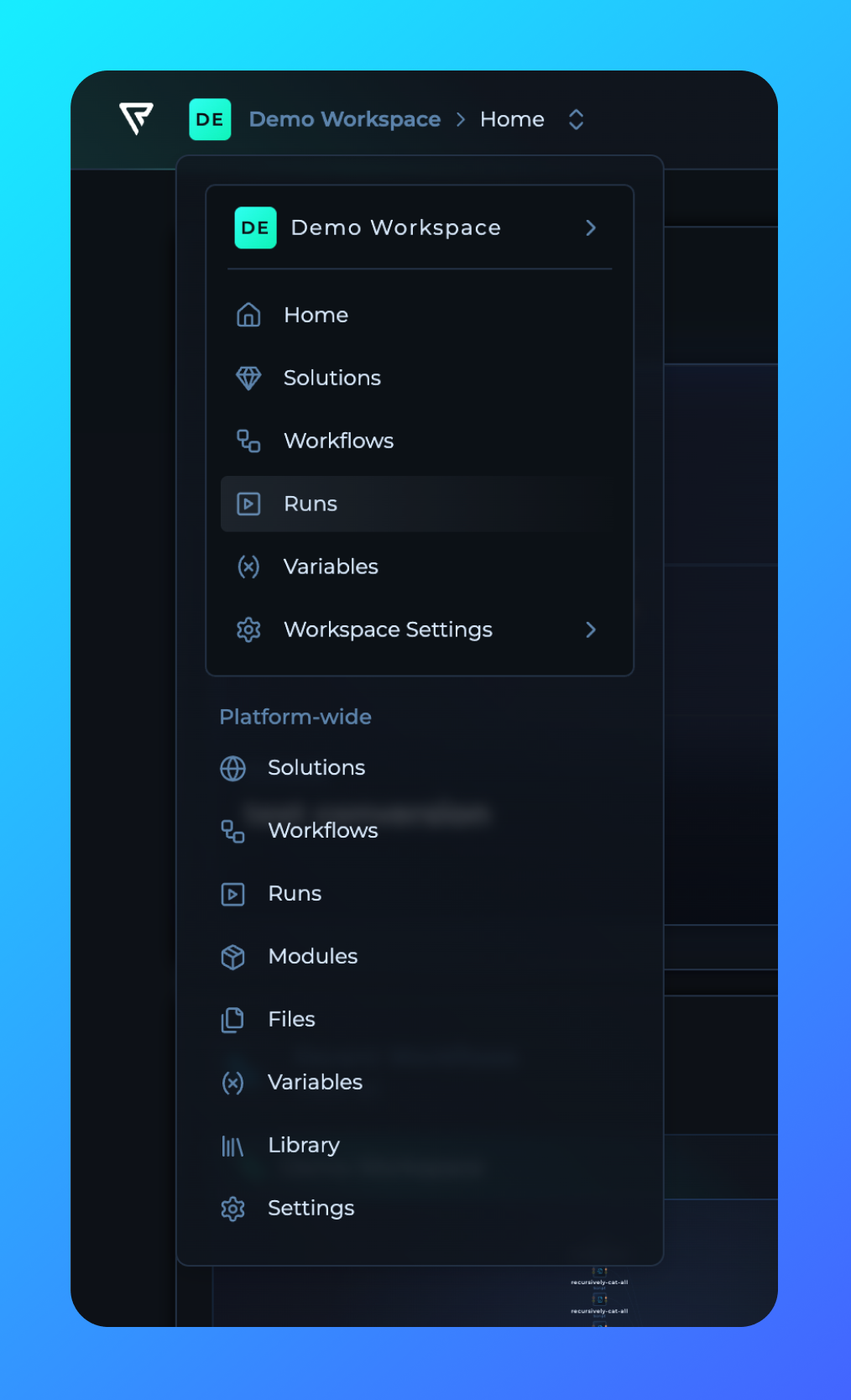 ## Main Navigation Redesign
The main navigation has been redesigned and moved from the left sidebar to be workspace-specific. Following the RBAC update, navigation is now contextual per workspace, providing better organization and access control for workspace-specific resources and settings.
## Main Navigation Redesign
The main navigation has been redesigned and moved from the left sidebar to be workspace-specific. Following the RBAC update, navigation is now contextual per workspace, providing better organization and access control for workspace-specific resources and settings.
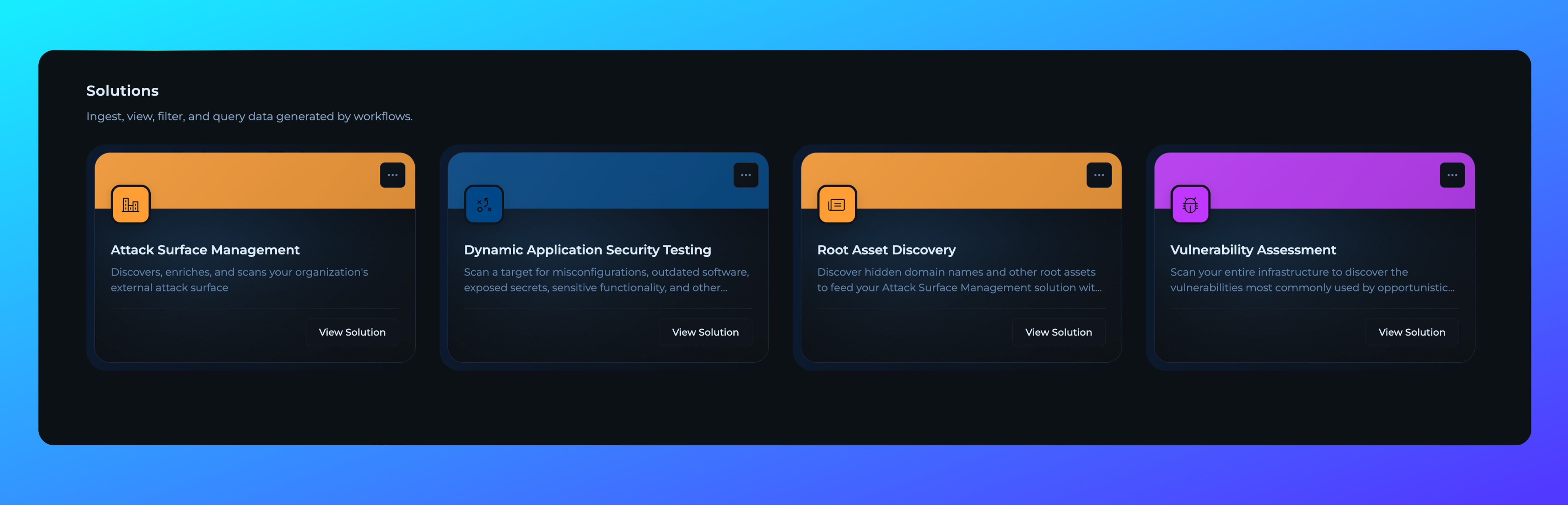 ## Solutions Space for Enterprise
Solutions deployed for enterprise customers will now reside in **Solutions Workspace**, providing dedicated workspace environment for enterprise-level solution management and collaboration.
## Solutions Space for Enterprise
Solutions deployed for enterprise customers will now reside in **Solutions Workspace**, providing dedicated workspace environment for enterprise-level solution management and collaboration.
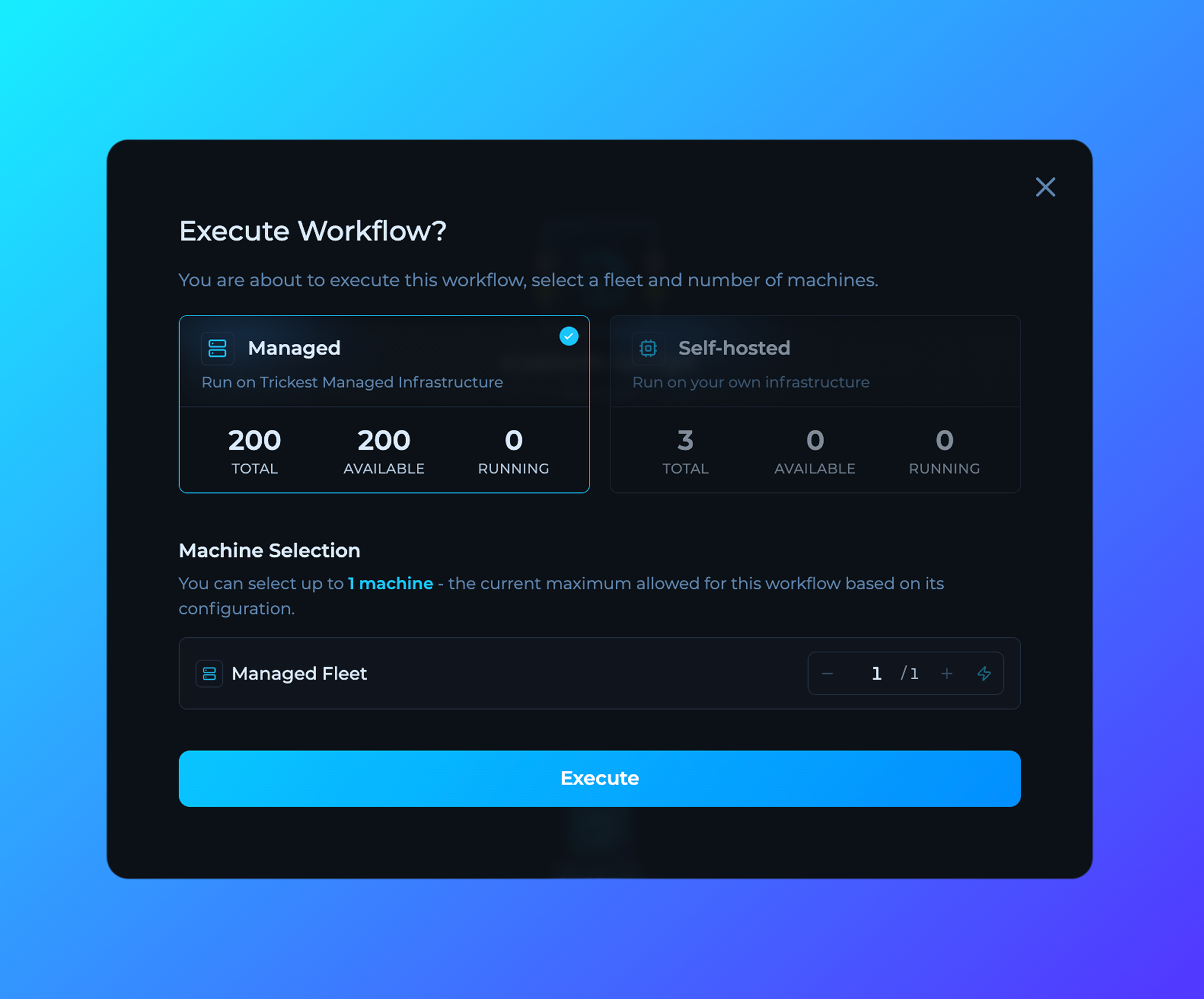 ## Execute Modal Improvements
Enhanced workflow execution modal with improved machine availability display, more intuitive fleet selection interface, and new ability to execute workflows across all available machines with a single click.
## Execute Modal Improvements
Enhanced workflow execution modal with improved machine availability display, more intuitive fleet selection interface, and new ability to execute workflows across all available machines with a single click.
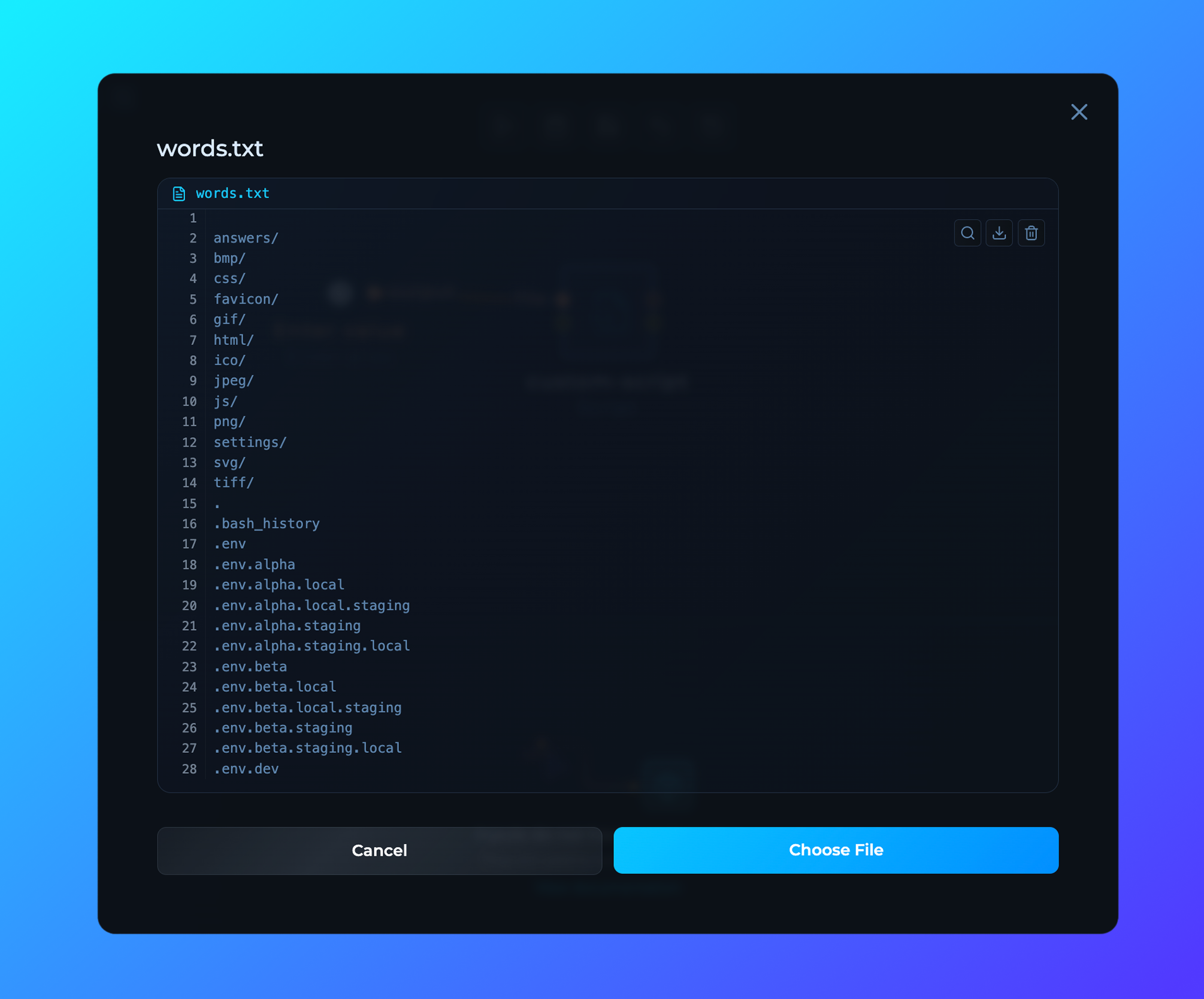 ## File Preview in Editor
New feature allowing users to preview files directly within the workflow editor, enabling faster workflow configuration and better understanding of data without leaving the editor interface.
## File Preview in Editor
New feature allowing users to preview files directly within the workflow editor, enabling faster workflow configuration and better understanding of data without leaving the editor interface.
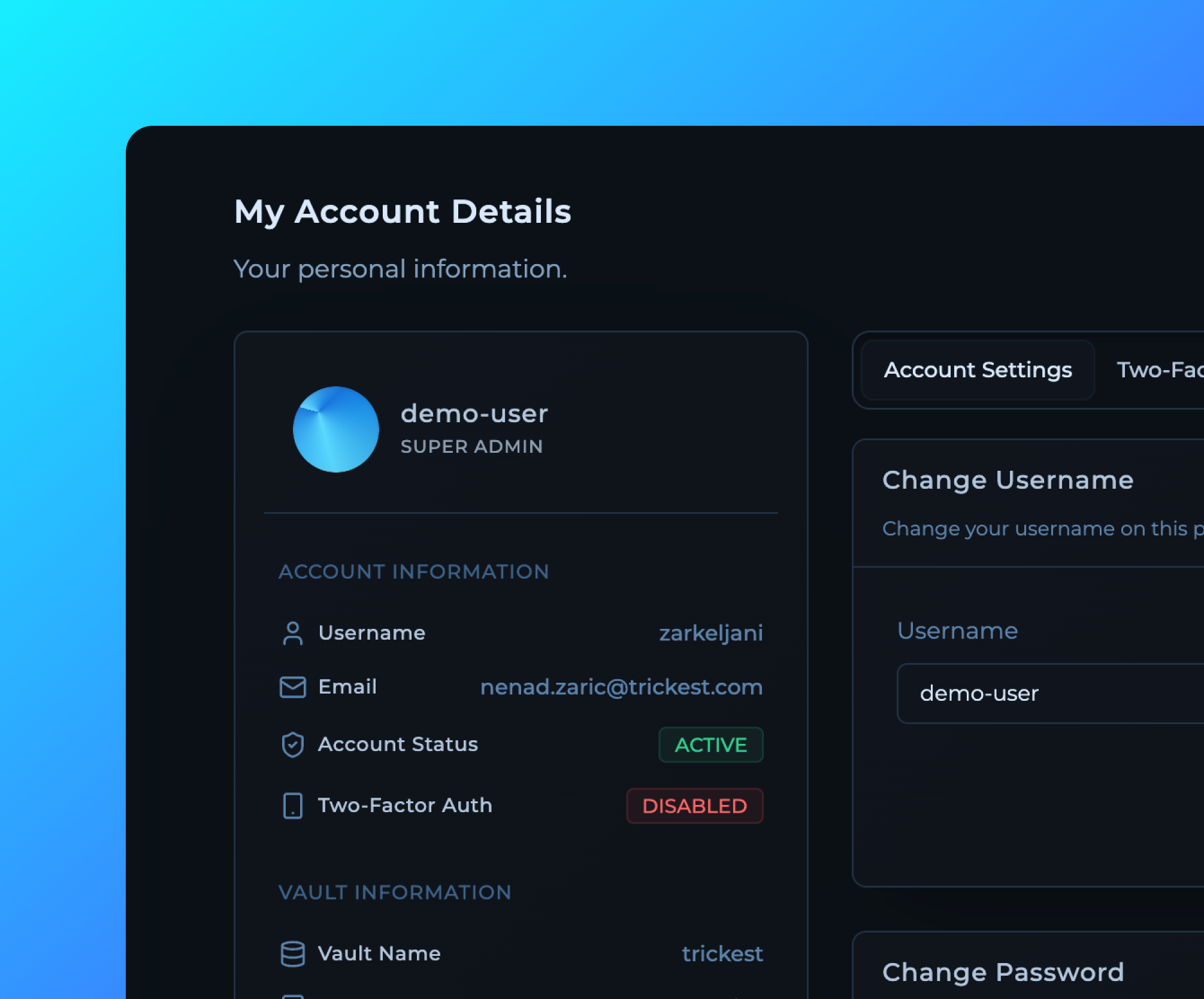 ## My Account Page Redesign
Completely redesigned My Account page with a cleaner interface, better organization of user information, and improved visibility of account details and settings for a more streamlined user experience.
## My Account Page Redesign
Completely redesigned My Account page with a cleaner interface, better organization of user information, and improved visibility of account details and settings for a more streamlined user experience.
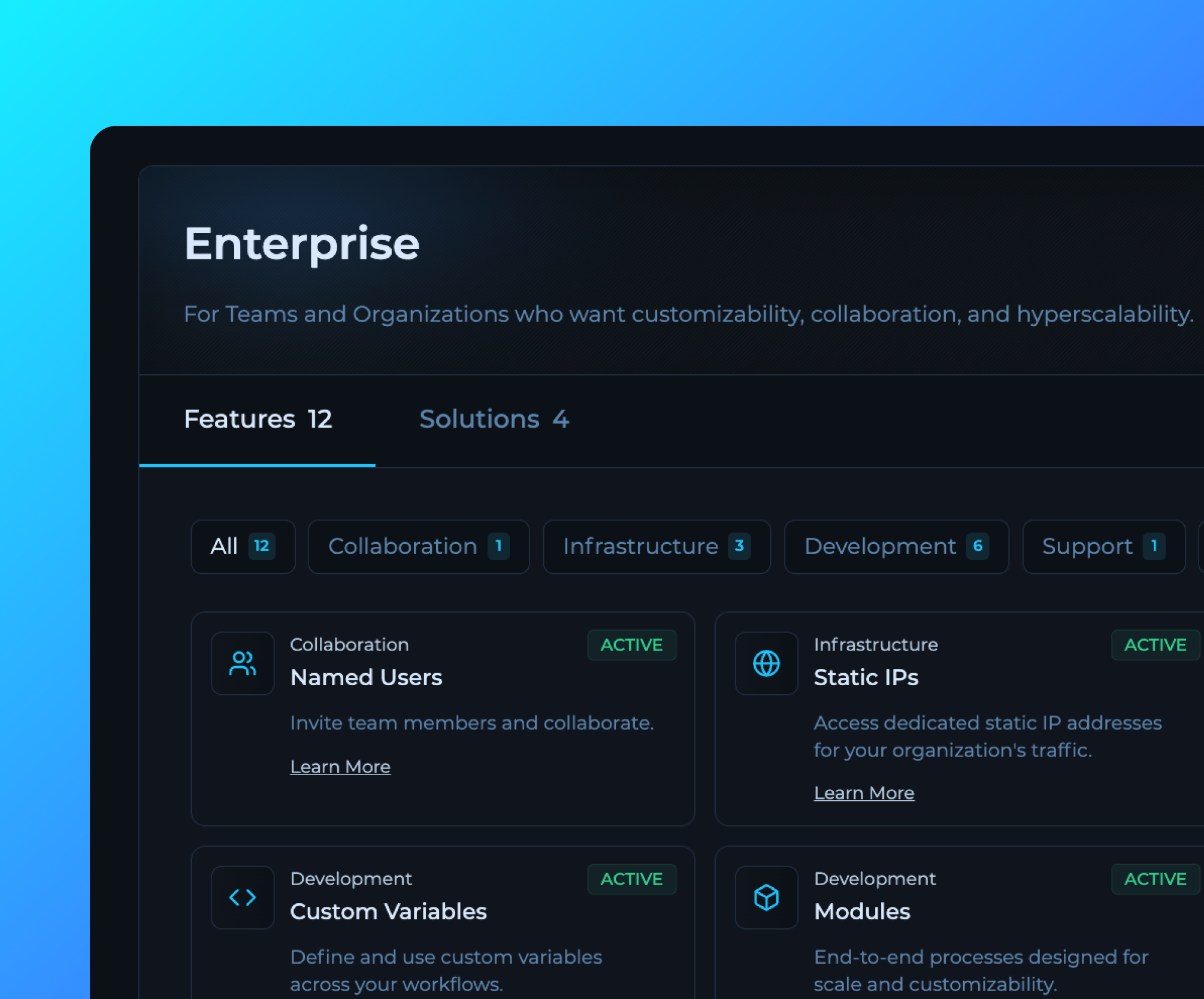 ## Billing Page Feature Status Update
Enhanced billing page now displays all available features with their current status (active/inactive) and detailed descriptions, providing better visibility into enabled enterprise capabilities and subscription benefits.
## Billing Page Feature Status Update
Enhanced billing page now displays all available features with their current status (active/inactive) and detailed descriptions, providing better visibility into enabled enterprise capabilities and subscription benefits.
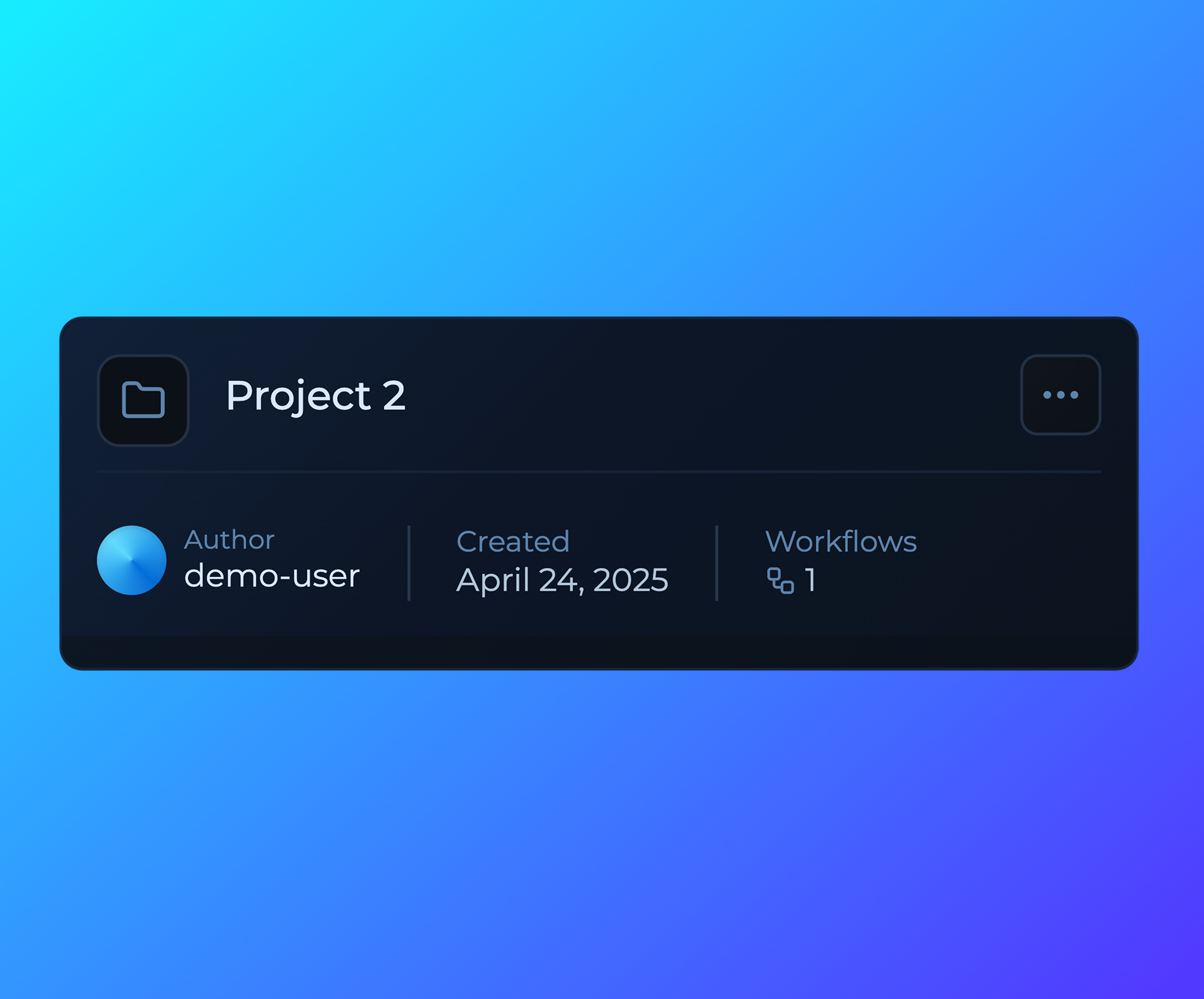 ## Project Cards UI Improvements
Project cards have been redesigned with improved visual hierarchy, better information display, and enhanced user interaction for a more intuitive workflow management experience.
## Project Cards UI Improvements
Project cards have been redesigned with improved visual hierarchy, better information display, and enhanced user interaction for a more intuitive workflow management experience.
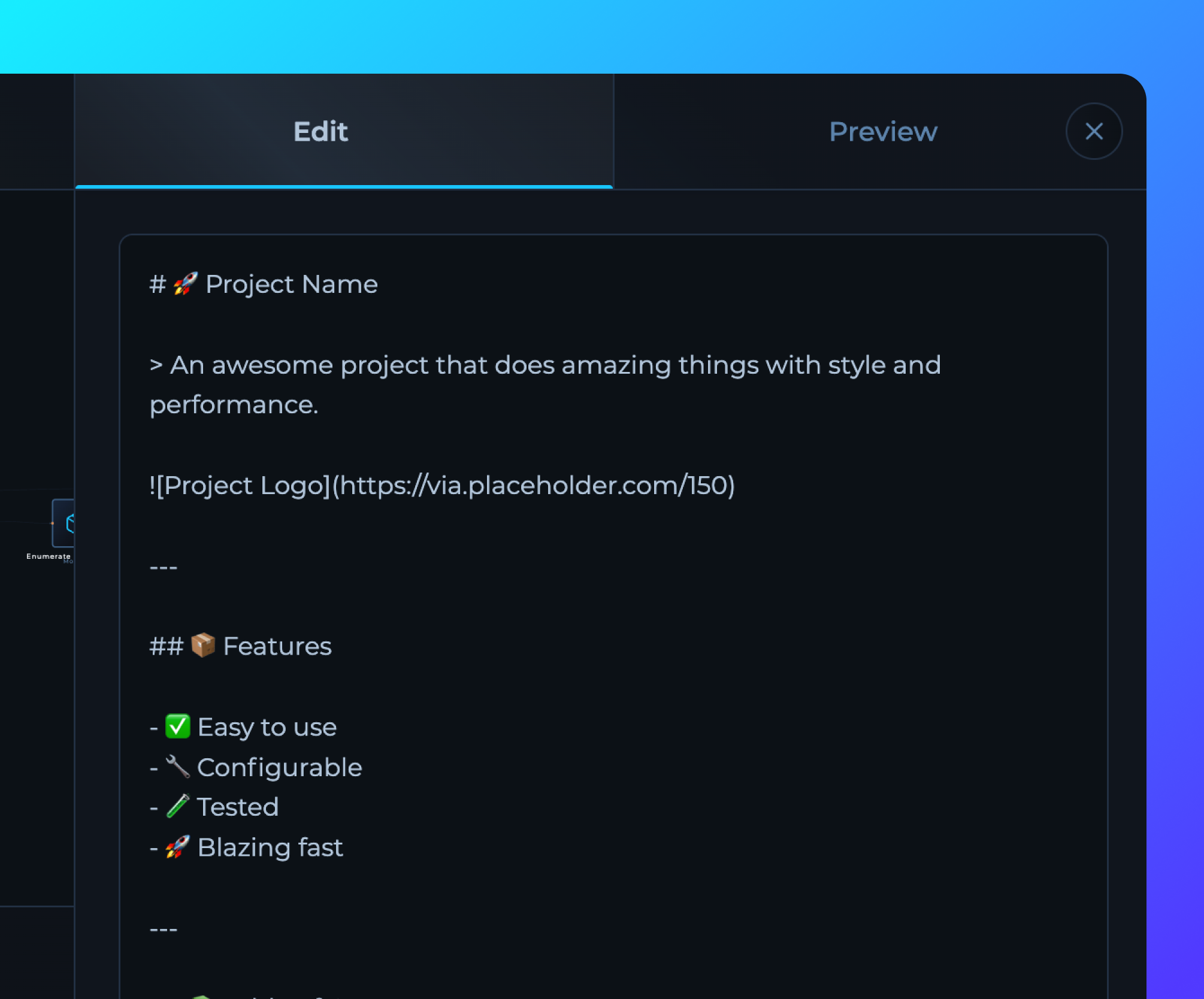 ## Readme in Editor UI Makeover
Enhanced README editor in the workflow editor with improved markdown editing interface, better formatting options, and streamlined documentation creation for workflows.
## Readme in Editor UI Makeover
Enhanced README editor in the workflow editor with improved markdown editing interface, better formatting options, and streamlined documentation creation for workflows.
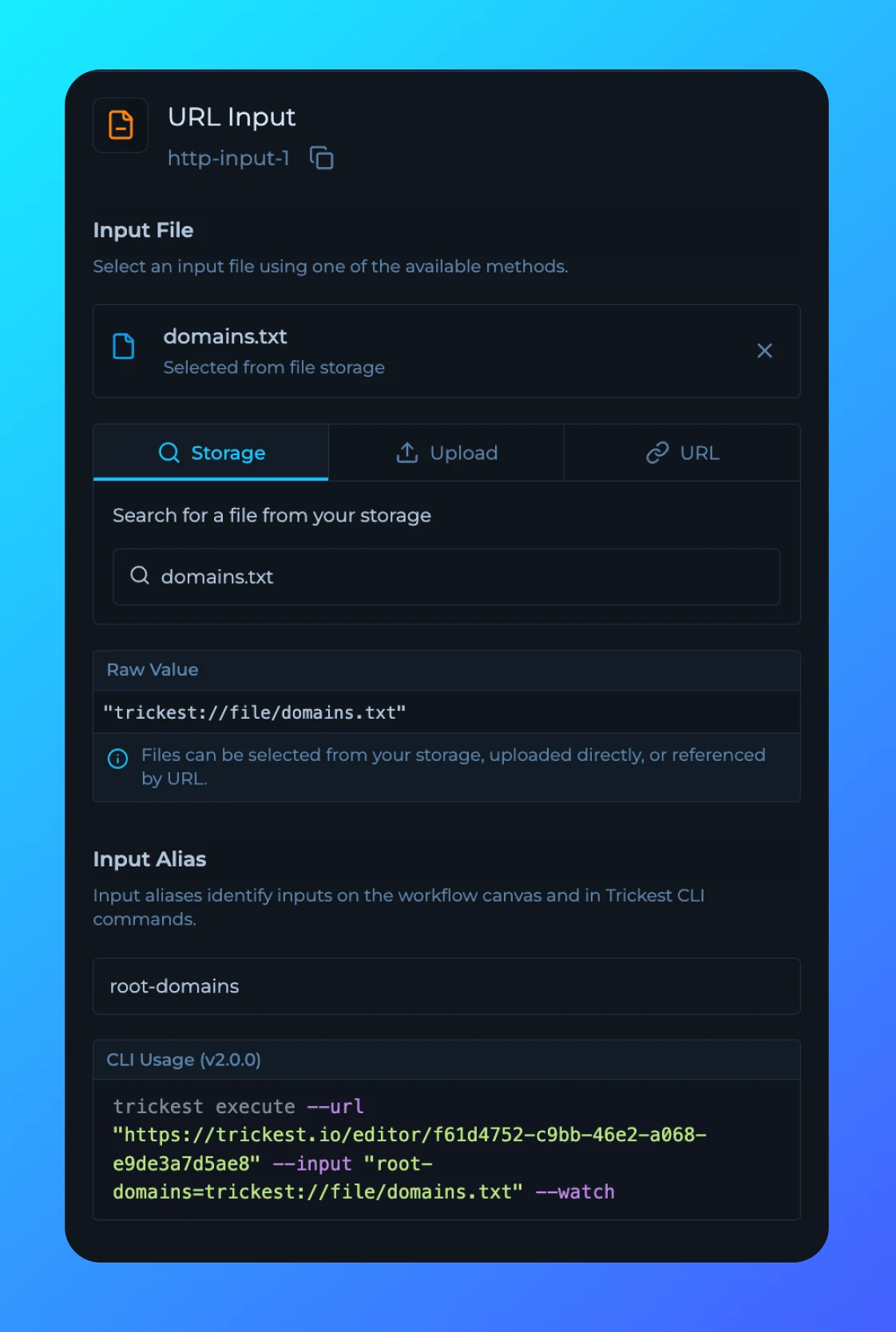 ## Inputs Sidebar Update
Inputs sidebar is now updated to support CLI 2.0 input aliases.
## Inputs Sidebar Update
Inputs sidebar is now updated to support CLI 2.0 input aliases.
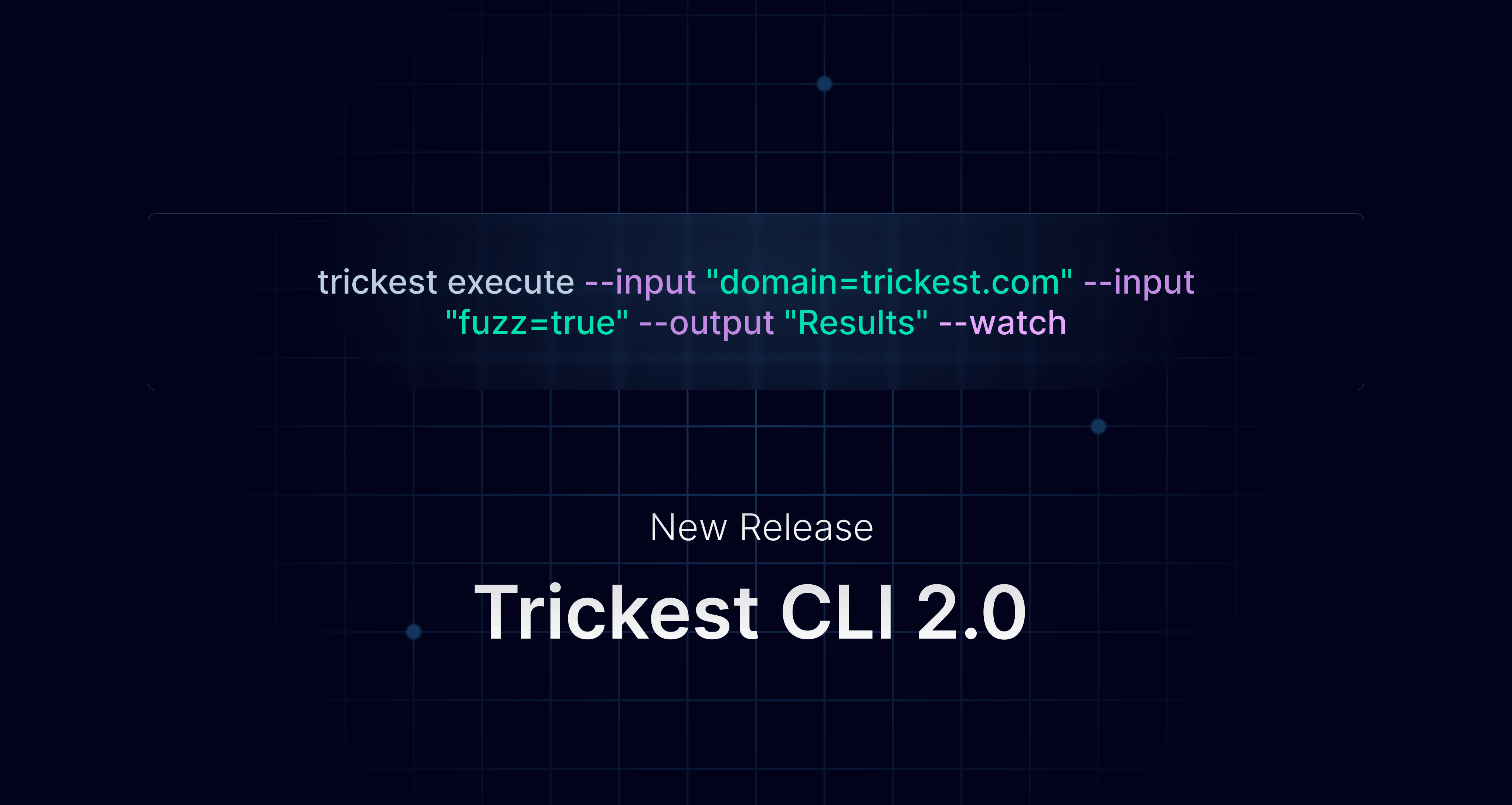 ## Trickest CLI 2.0 Pre-Release
Trickest CLI 2.0 is now in pre-release and available.
New Trickest CLI v2.0.0 introduces input aliases, built-in help and auto readme generation, time-specific workflow insights, distributed nodes analysis, and more.
[Changelog](https://github.com/trickest/trickest-cli/releases/tag/v2.0.0) | [Blog Post](https://trickest.com/blog/trickest-cli-2-0-0/)
## Trickest CLI 2.0 Pre-Release
Trickest CLI 2.0 is now in pre-release and available.
New Trickest CLI v2.0.0 introduces input aliases, built-in help and auto readme generation, time-specific workflow insights, distributed nodes analysis, and more.
[Changelog](https://github.com/trickest/trickest-cli/releases/tag/v2.0.0) | [Blog Post](https://trickest.com/blog/trickest-cli-2-0-0/)
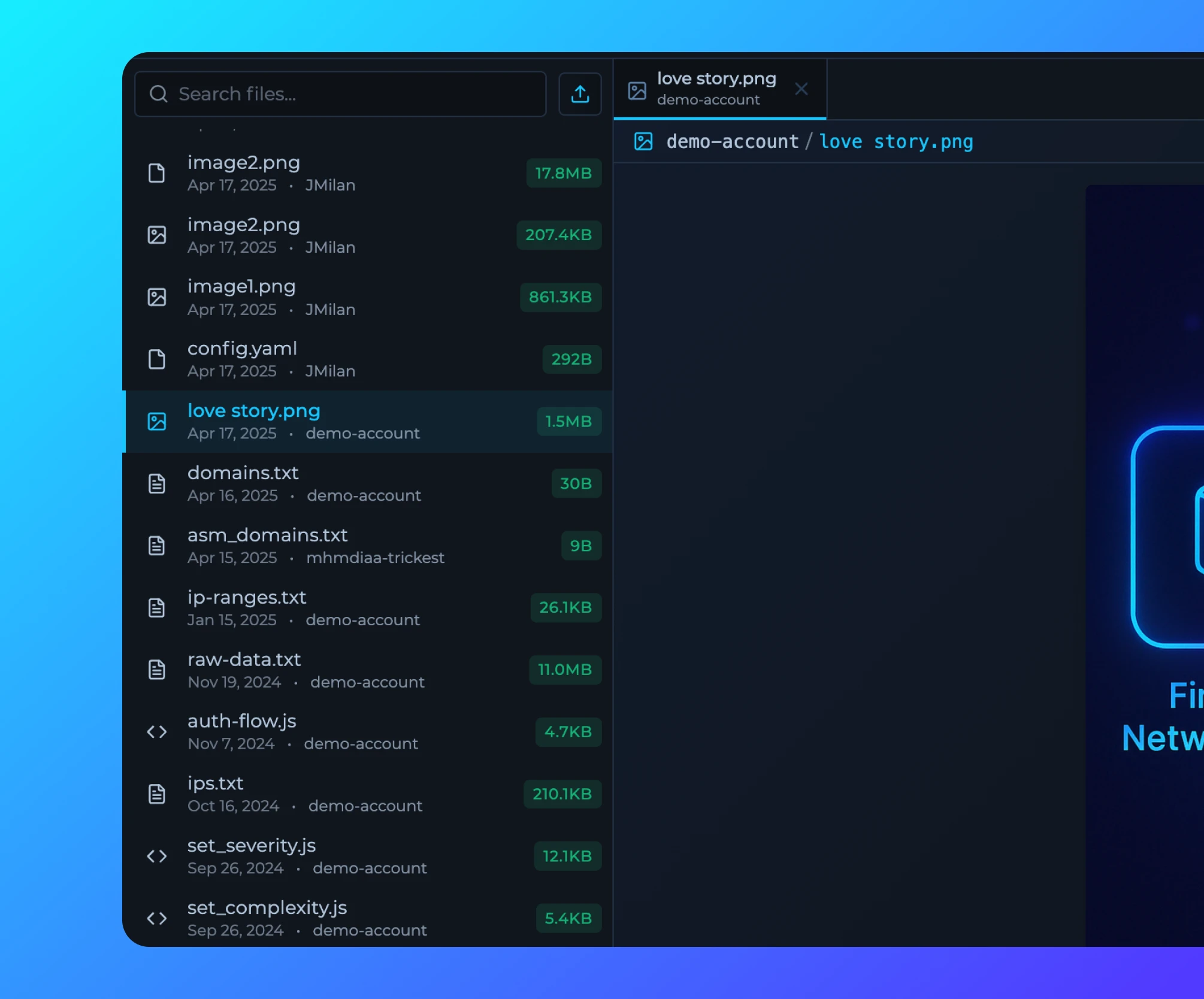 ## File Page Updates
[File Page](https://trickest.io/dashboard/files) is now updated with file tree and file tabs for better organization and navigation.
**Note:** You can use URL to share specific files with others.
## File Page Updates
[File Page](https://trickest.io/dashboard/files) is now updated with file tree and file tabs for better organization and navigation.
**Note:** You can use URL to share specific files with others.
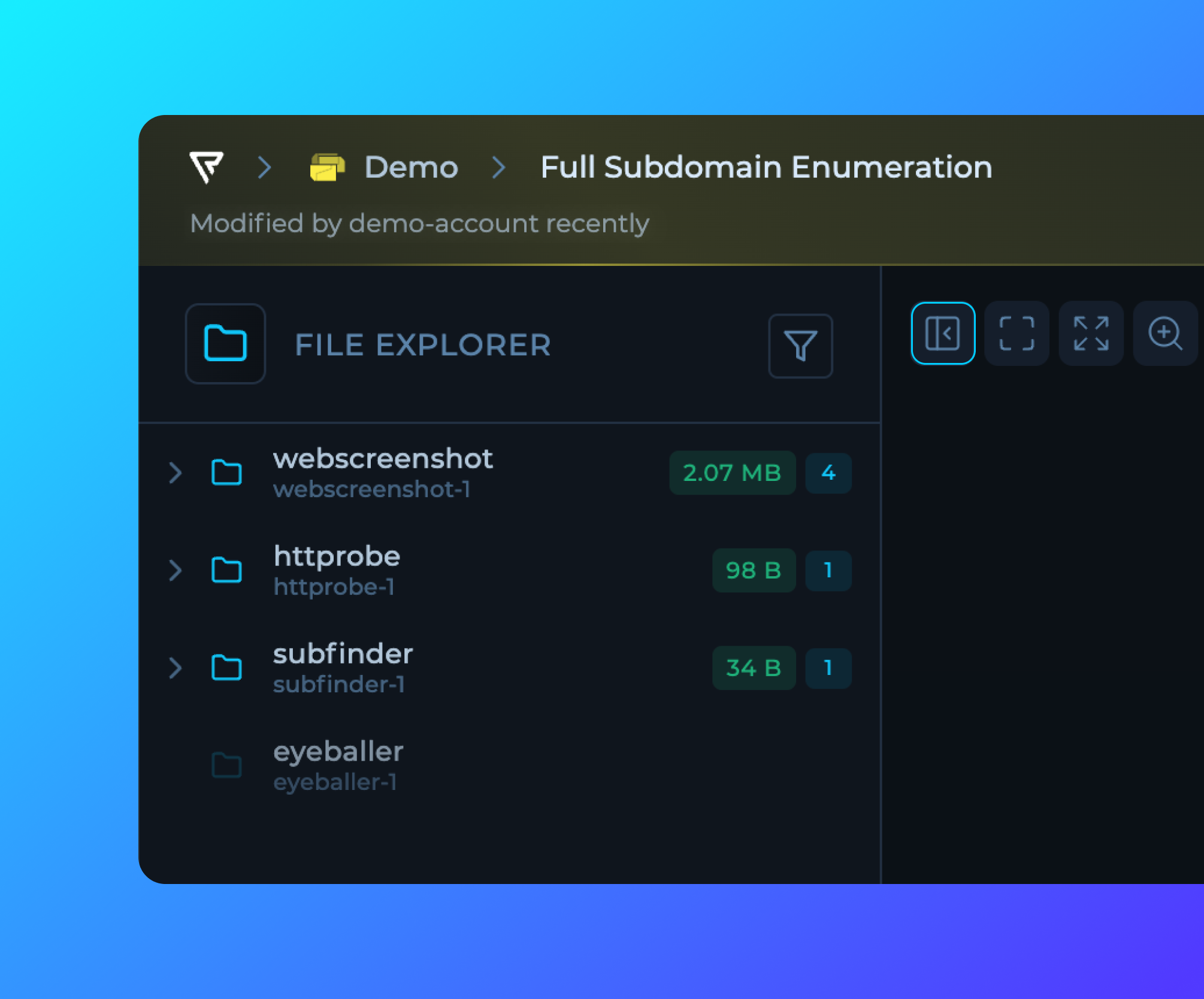 ## Sidebar Collapse Changes
Left and Right Sidebar button is moved to the editor single action bar.
## Sidebar Collapse Changes
Left and Right Sidebar button is moved to the editor single action bar.
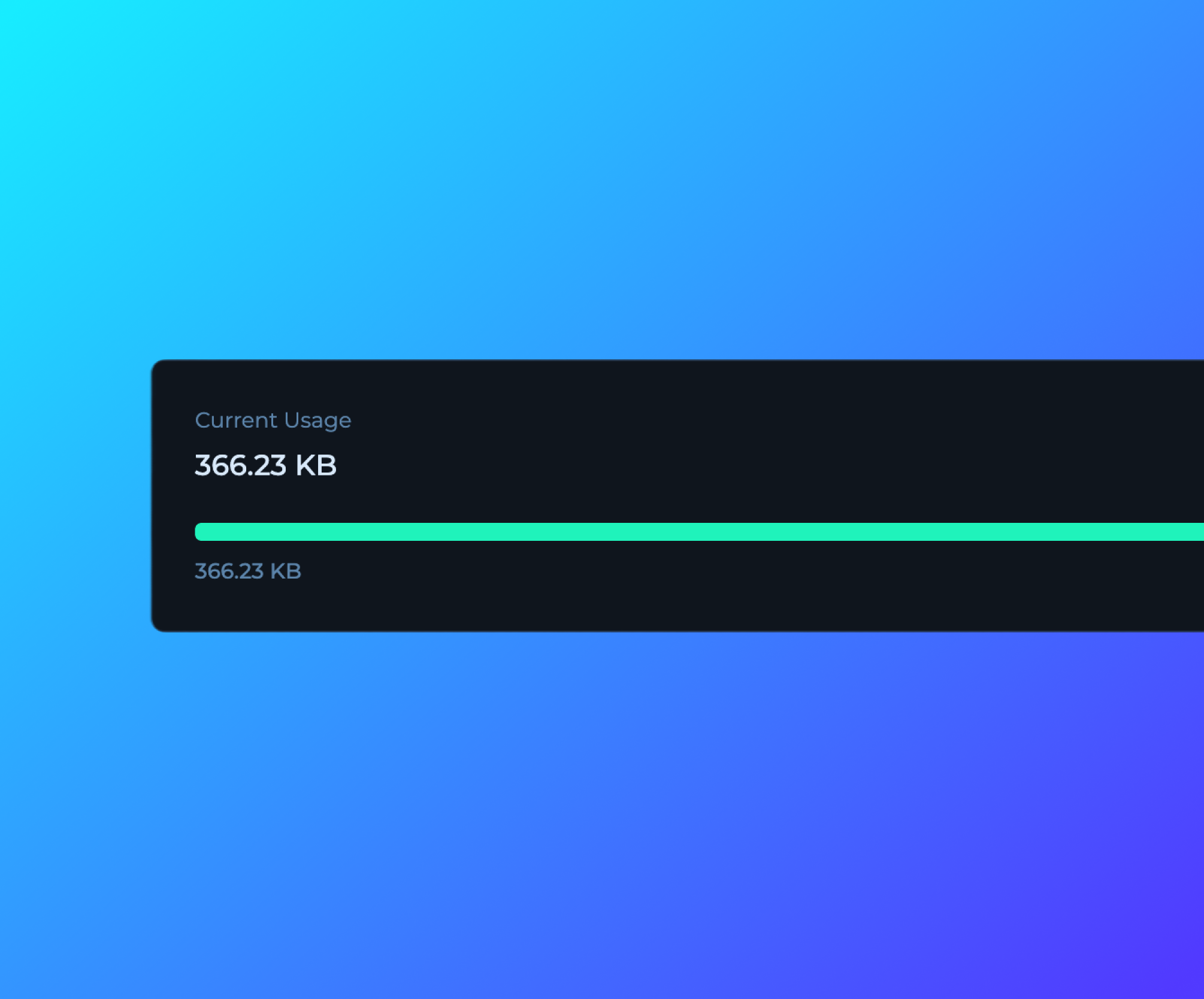 ## Run Traffic
Run traffic is now being collected and displayed in [Billing](https://trickest.io/dashboard/settings/payments) page for Enterprise users.
## Run Traffic
Run traffic is now being collected and displayed in [Billing](https://trickest.io/dashboard/settings/payments) page for Enterprise users.
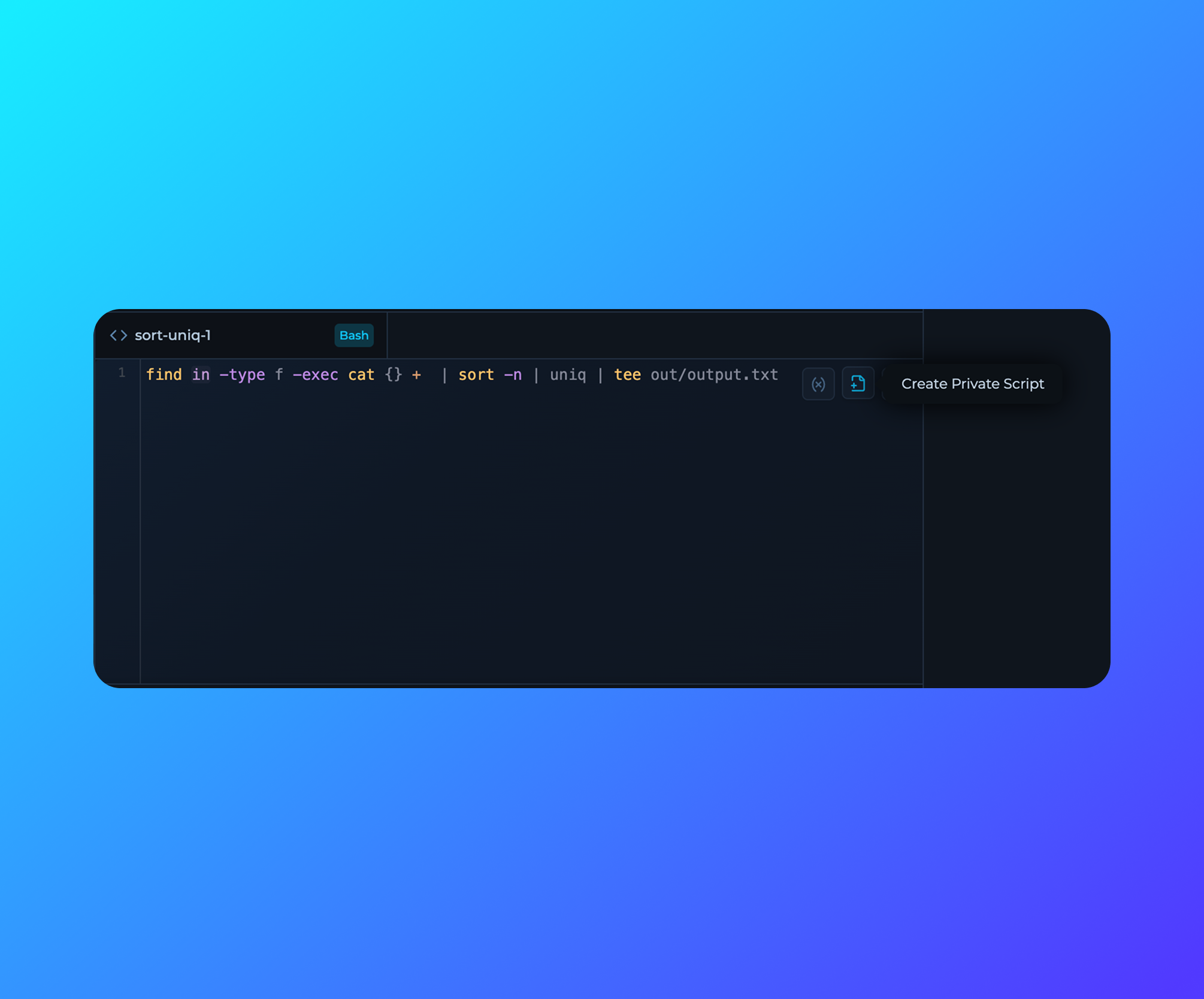 ## Private Scripts
Private scripts can now be created directly from the Command Line Interface in the Workflow Editor.
## Private Scripts
Private scripts can now be created directly from the Command Line Interface in the Workflow Editor.
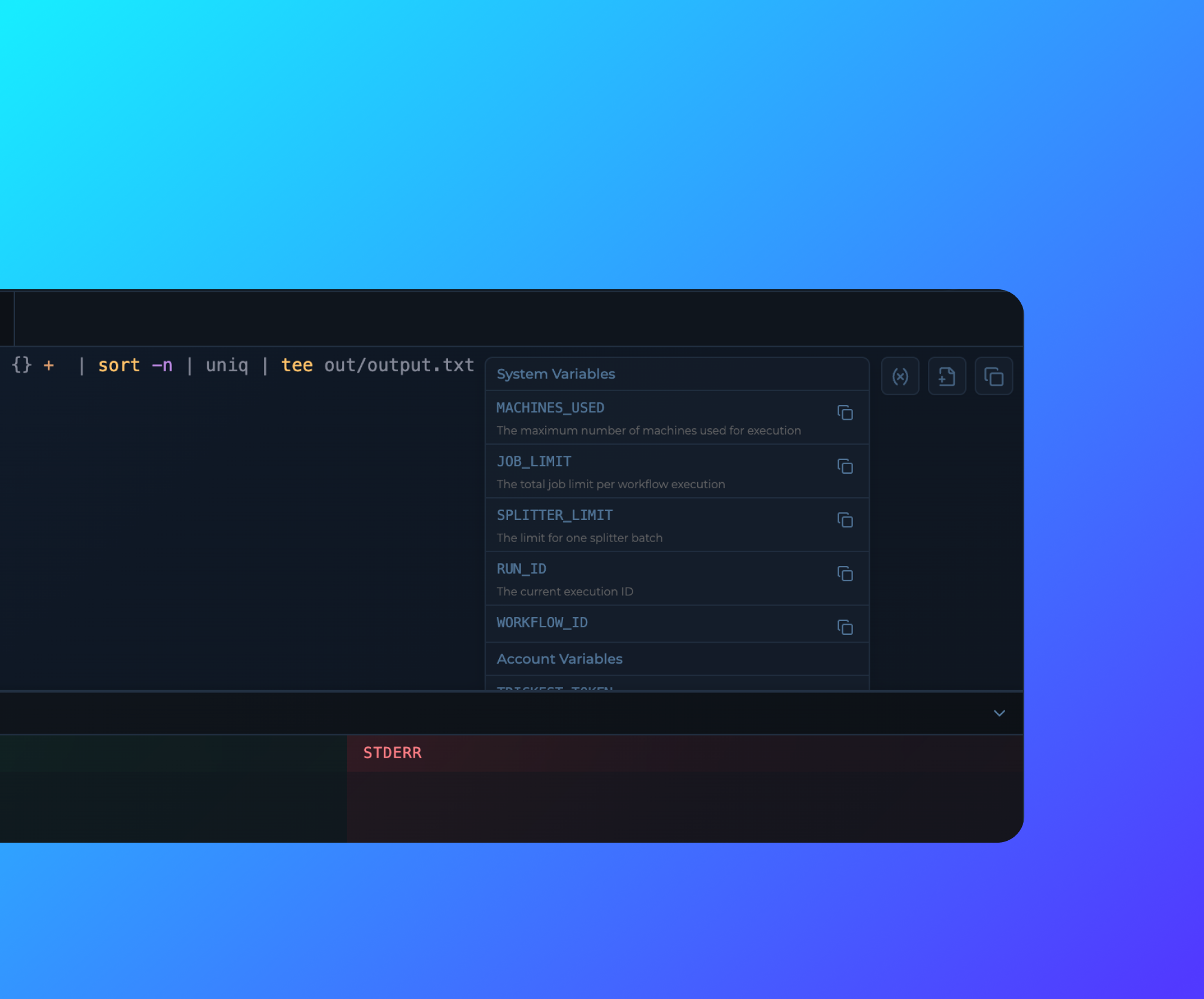 ## Variables in Code Editor for Scripts
Variables are now available in the Code Editor for Scripts for easy access and reference.
## Home Dashboard Library Workflows
Library Workflows in Home Dashboard are now appearing at random order.
## Variables in Code Editor for Scripts
Variables are now available in the Code Editor for Scripts for easy access and reference.
## Home Dashboard Library Workflows
Library Workflows in Home Dashboard are now appearing at random order.
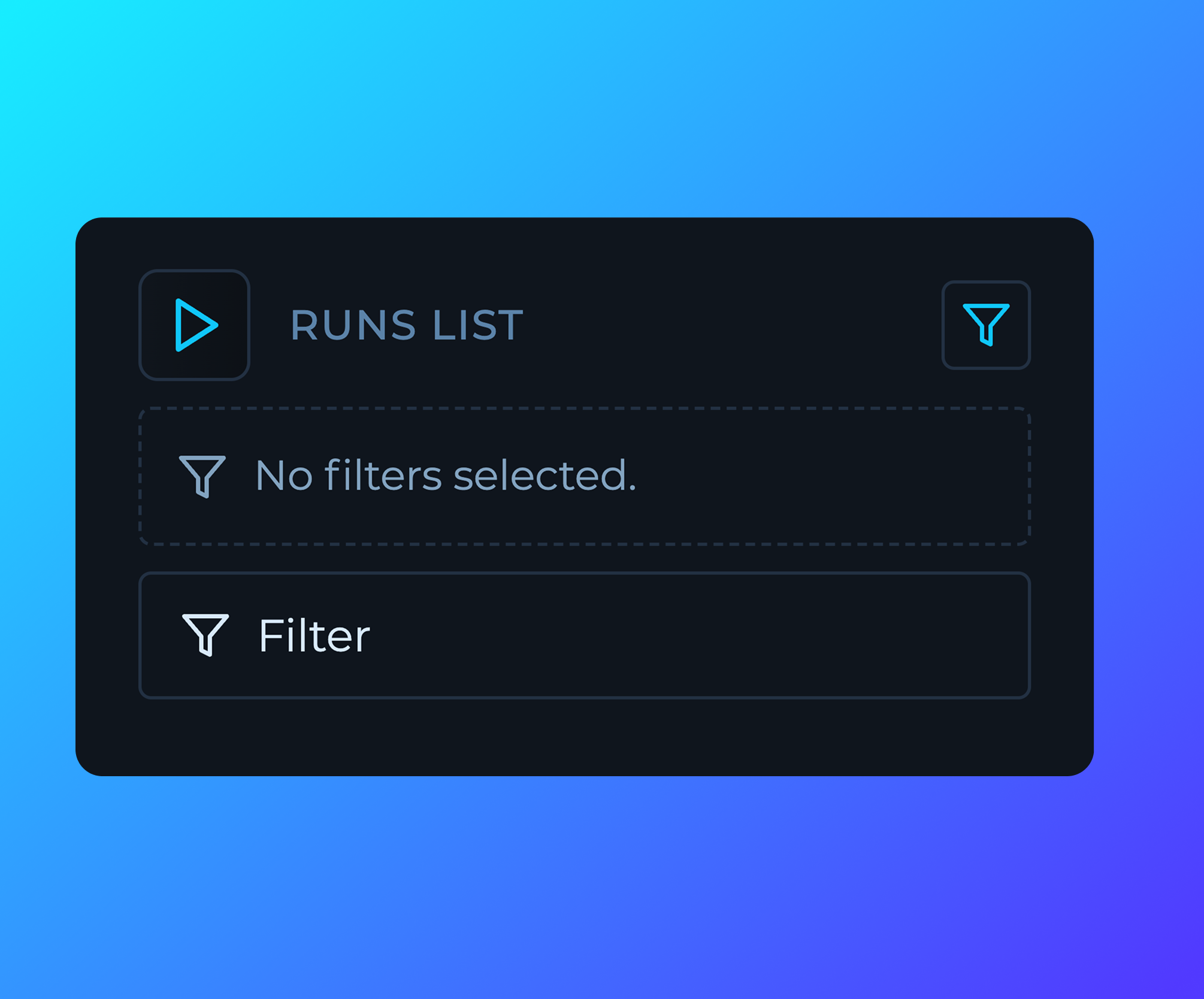 ## Run List Filters
Run list filters are now expandable for better visibility and monitoring of the run list.
## Run List Filters
Run list filters are now expandable for better visibility and monitoring of the run list.
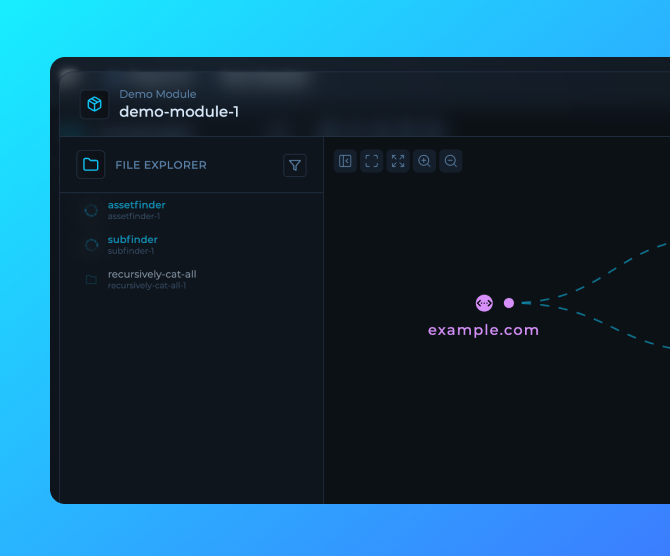 ## Module Run Preview
User built modules now have a preview popover for better visibility and monitoring of the module runs and outputs.
## Module Run Preview
User built modules now have a preview popover for better visibility and monitoring of the module runs and outputs.
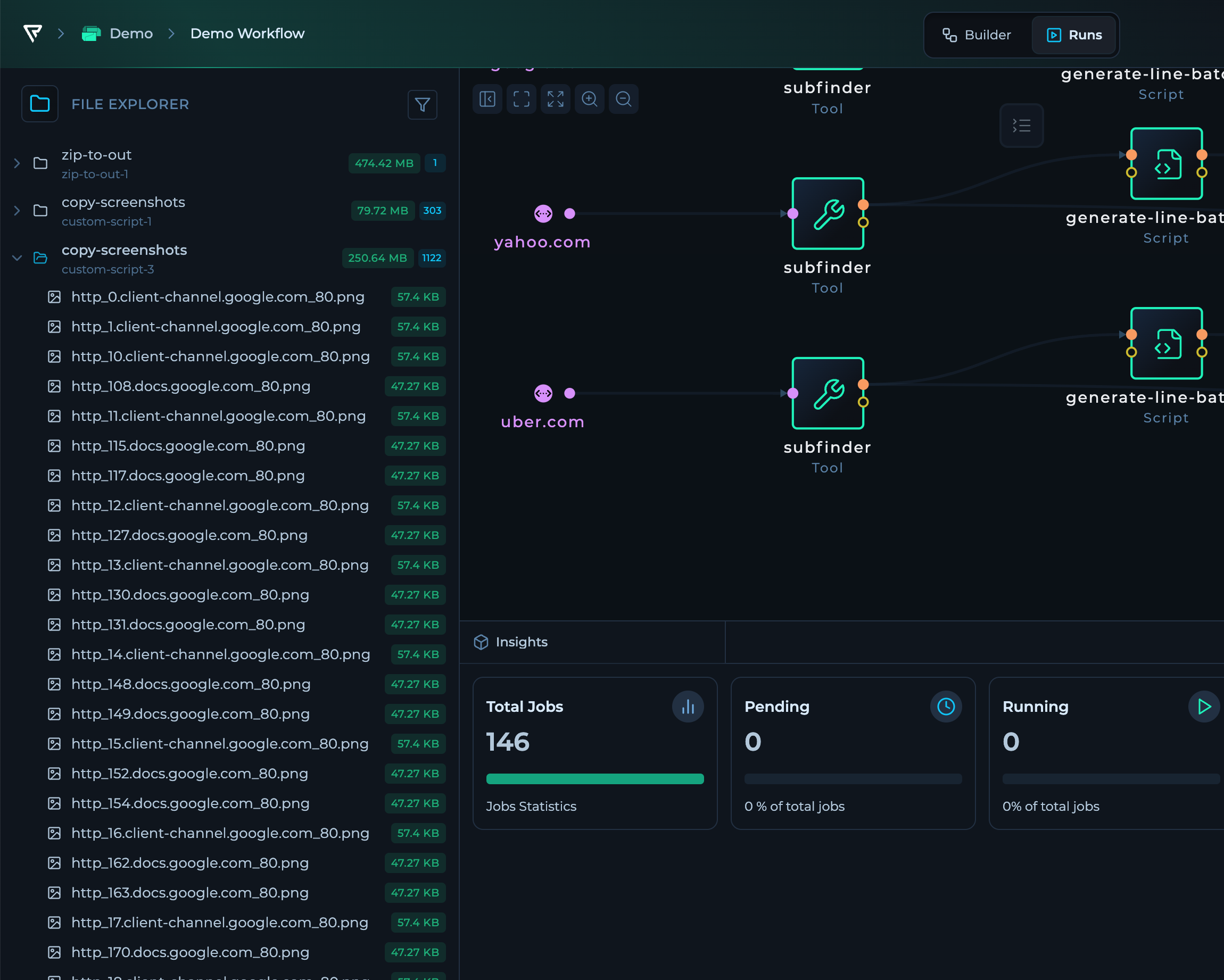 ## Workflow Run Mode File Tree
The workflow run mode now features a file tree for better organization and navigation of the node outputs.
## Workflow Run Mode File Tree
The workflow run mode now features a file tree for better organization and navigation of the node outputs.
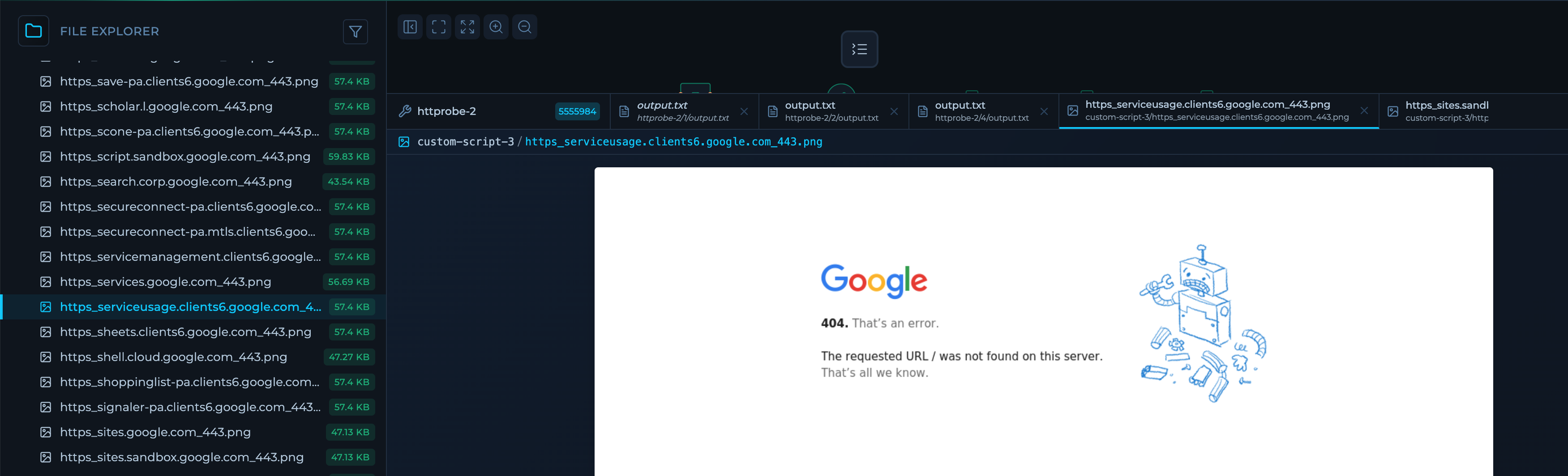 ## Outputs in File Tabs
Files can now be opened in a new tab with syntax highlighting and line numbers for fully functional and structured analysis of workflows runs.
Custom Previews are available for:
* Image Types
## Outputs in File Tabs
Files can now be opened in a new tab with syntax highlighting and line numbers for fully functional and structured analysis of workflows runs.
Custom Previews are available for:
* Image Types
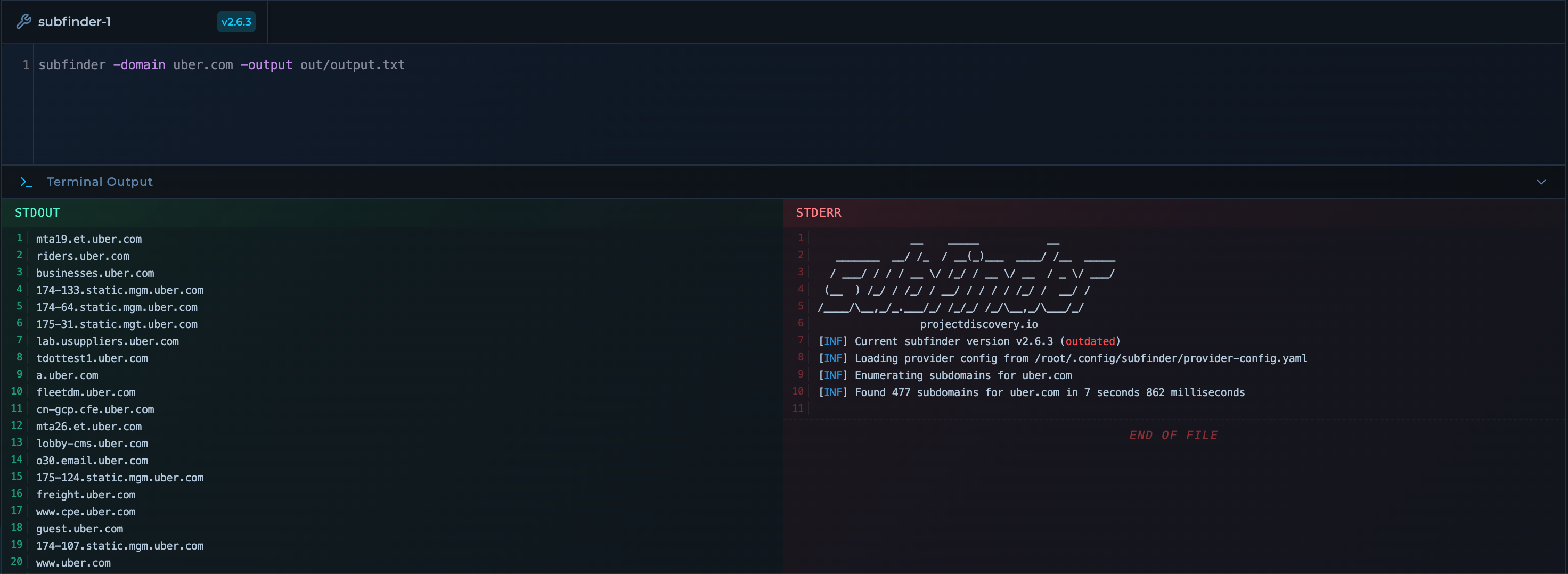 ## CLI Updates
The CLI is redesigned with a new command editor and terminal output for more streamlined monitoring and debugging of workflows.
## CLI Updates
The CLI is redesigned with a new command editor and terminal output for more streamlined monitoring and debugging of workflows.
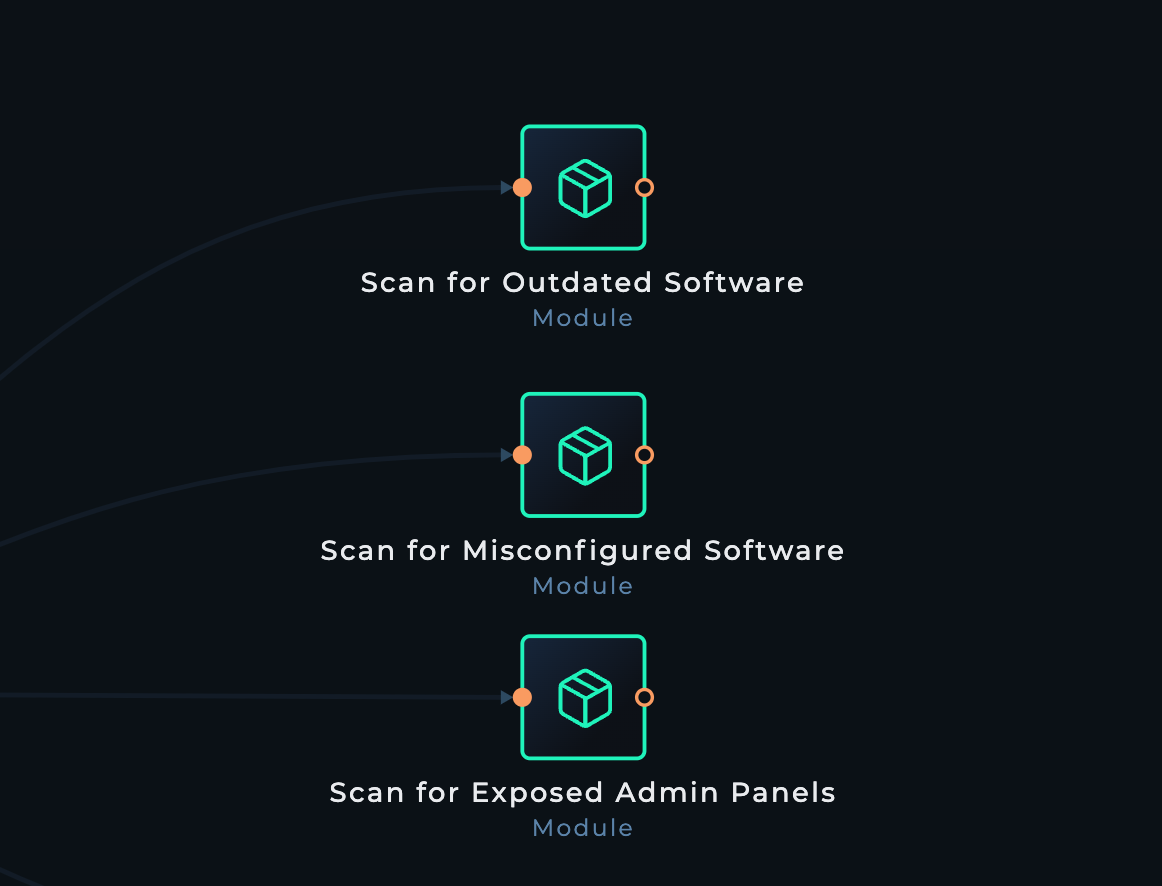
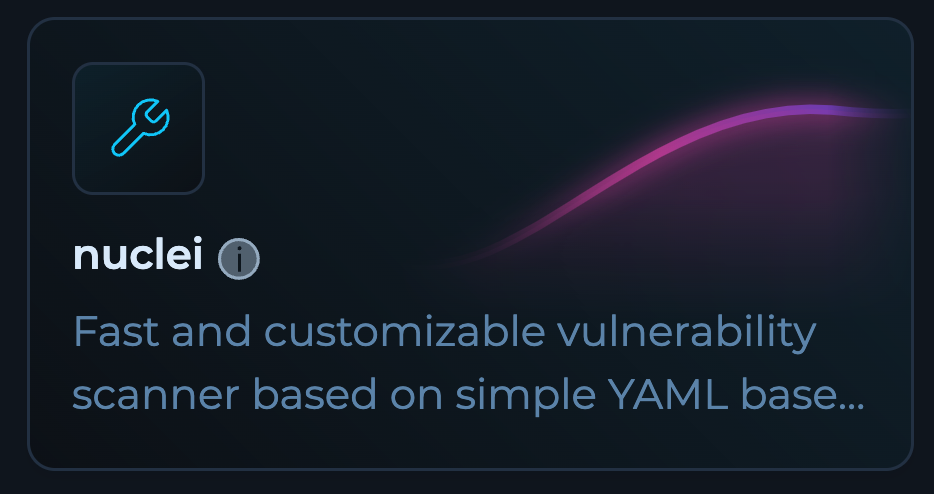 ## Popular Nodes in Workflow Editor
Frequently used nodes are now integrated directly into the workflow editor interface, making it easier to access and add common components to your workflows.
## Popular Nodes in Workflow Editor
Frequently used nodes are now integrated directly into the workflow editor interface, making it easier to access and add common components to your workflows.
 ## New Editor Generally Available
The new editor is now generally available to all users with additional UI improvements for enhanced usability and performance.
## New Editor Generally Available
The new editor is now generally available to all users with additional UI improvements for enhanced usability and performance.
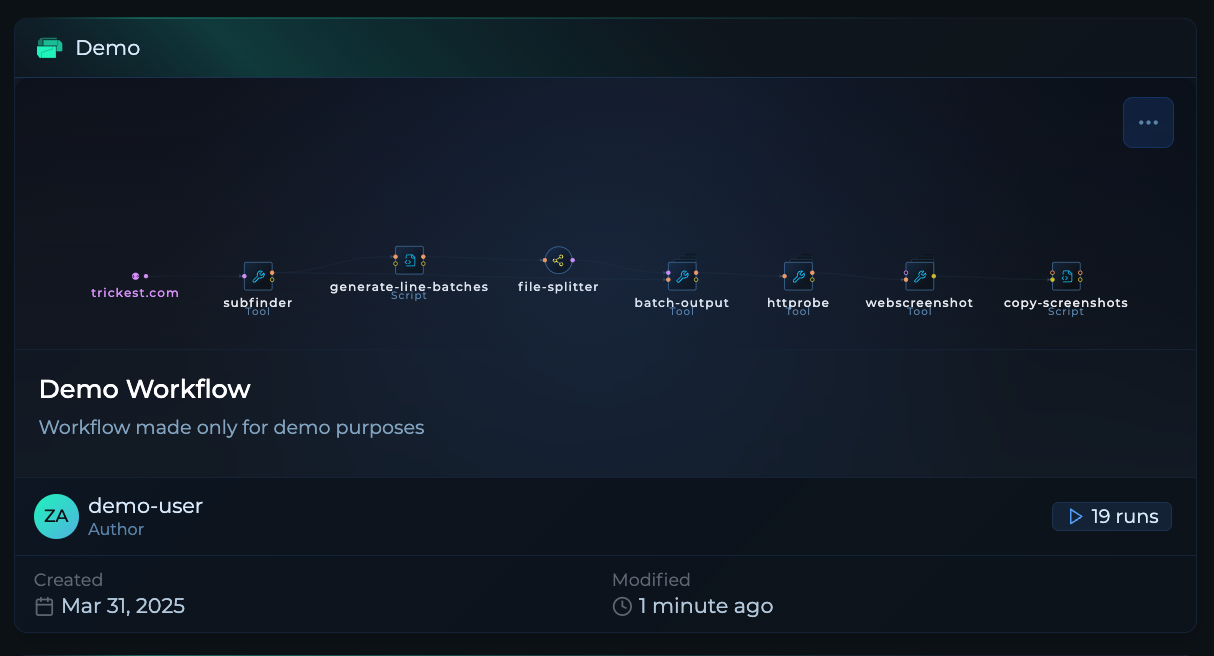 ## Workflow Cards Preview
Workflows now feature a preview capability and have been completely redesigned for a more intuitive and efficient user experience.
## Workflow Cards Preview
Workflows now feature a preview capability and have been completely redesigned for a more intuitive and efficient user experience.
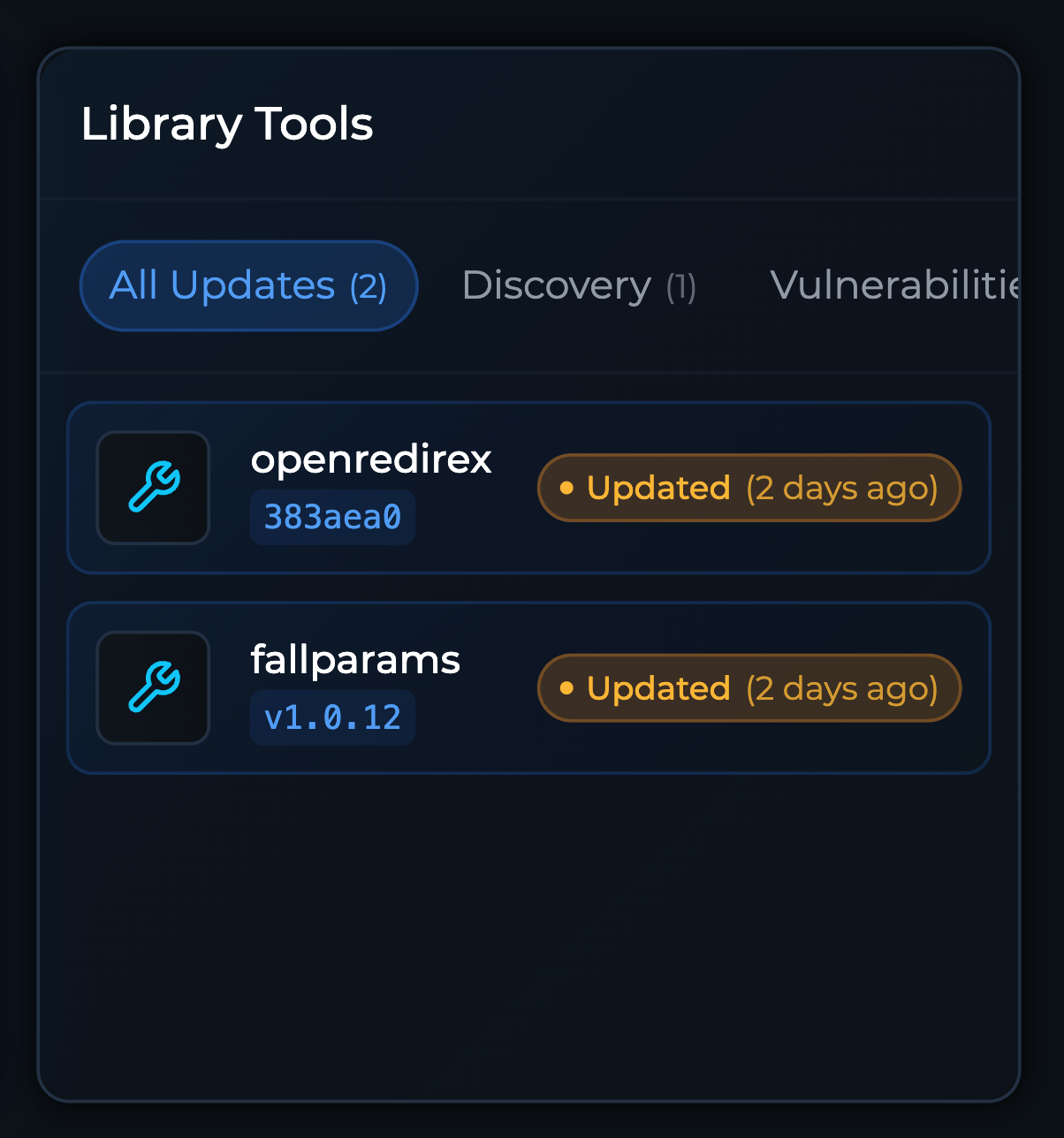 ## Home Dashboard Tool Library Updates
The Home Dashboard now shows library updates for tools that have been recently updated, helping you stay informed about the latest improvements.
## Home Dashboard Tool Library Updates
The Home Dashboard now shows library updates for tools that have been recently updated, helping you stay informed about the latest improvements.
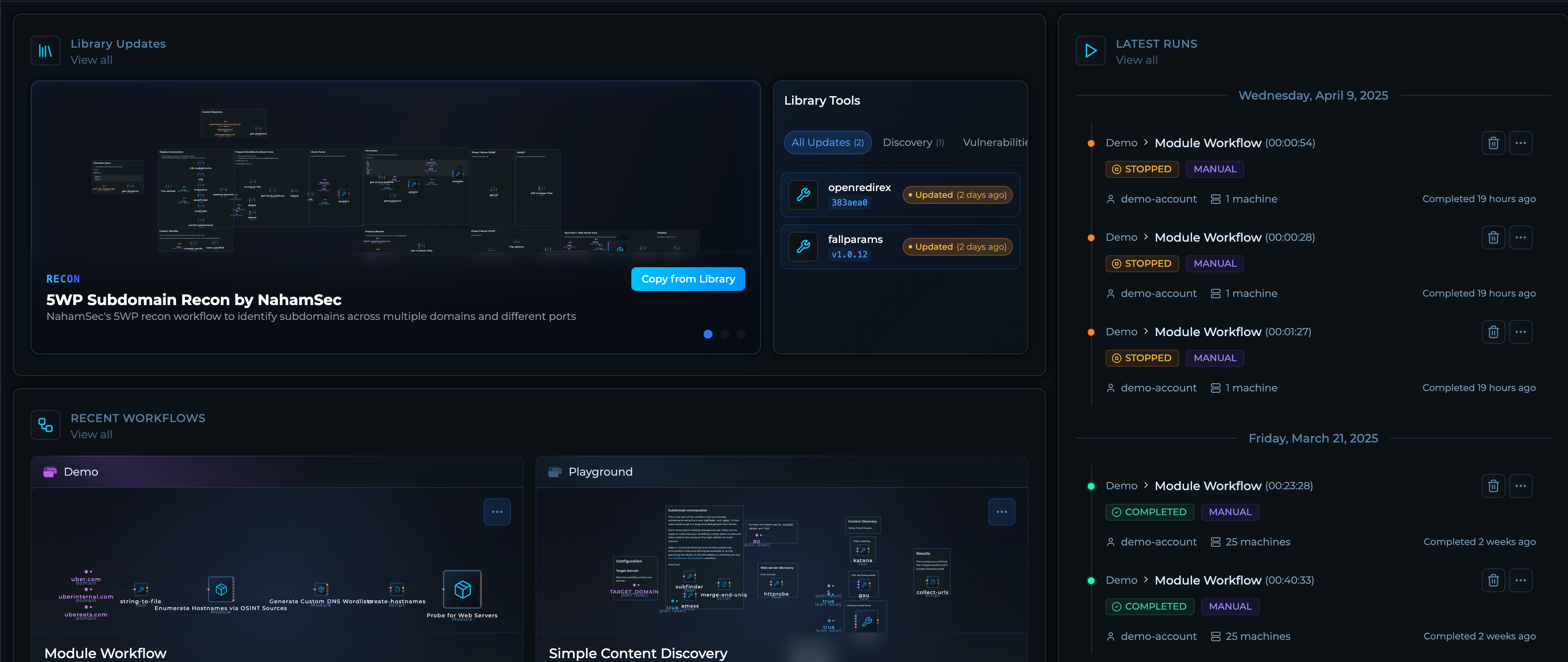 ## Home Dashboard Improvements
Enhanced Home Dashboard with improved layout, performance optimizations, and better information hierarchy for a more user-friendly experience.
## Service Orchestration Integration
New service orchestration integration for interacting with file and run storage systems, enabling more efficient data management and workflow execution.
## Home Dashboard Improvements
Enhanced Home Dashboard with improved layout, performance optimizations, and better information hierarchy for a more user-friendly experience.
## Service Orchestration Integration
New service orchestration integration for interacting with file and run storage systems, enabling more efficient data management and workflow execution.
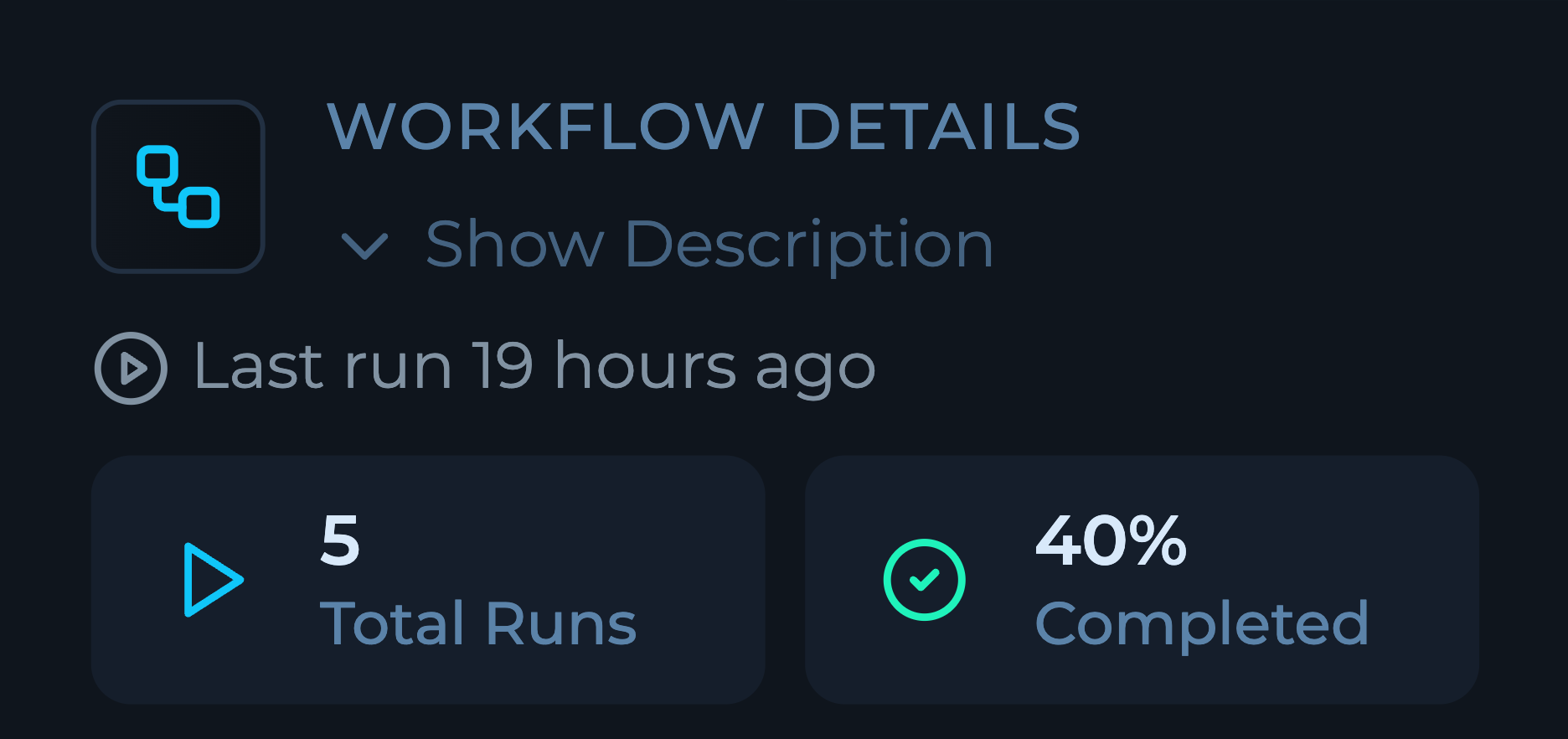 ## Workflow Details UI Improvements
Enhanced Workflow Details interface now displays average run time, total run counts providing better insights into workflow performance.
## Workflow Details UI Improvements
Enhanced Workflow Details interface now displays average run time, total run counts providing better insights into workflow performance.
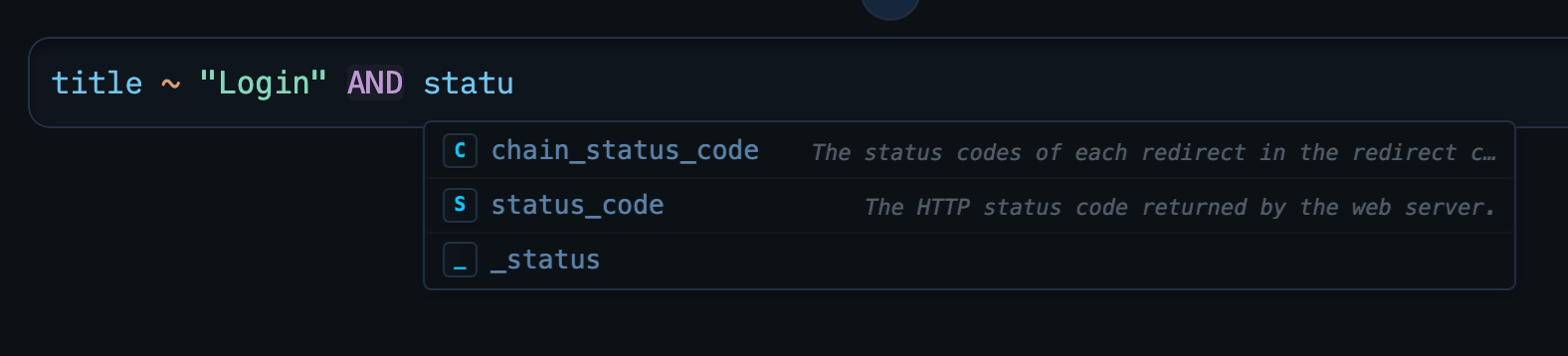 ## TQL Syntax Highlighting and Autocomplete
Added syntax highlighting and autocomplete suggestions for Trickest Query Language, improving developer experience and reducing errors when writing queries.
## Platform-wide Modal Updates
Updated all modals throughout the platform with a consistent, modern design for improved user experience and accessibility.
## TQL Syntax Highlighting and Autocomplete
Added syntax highlighting and autocomplete suggestions for Trickest Query Language, improving developer experience and reducing errors when writing queries.
## Platform-wide Modal Updates
Updated all modals throughout the platform with a consistent, modern design for improved user experience and accessibility.
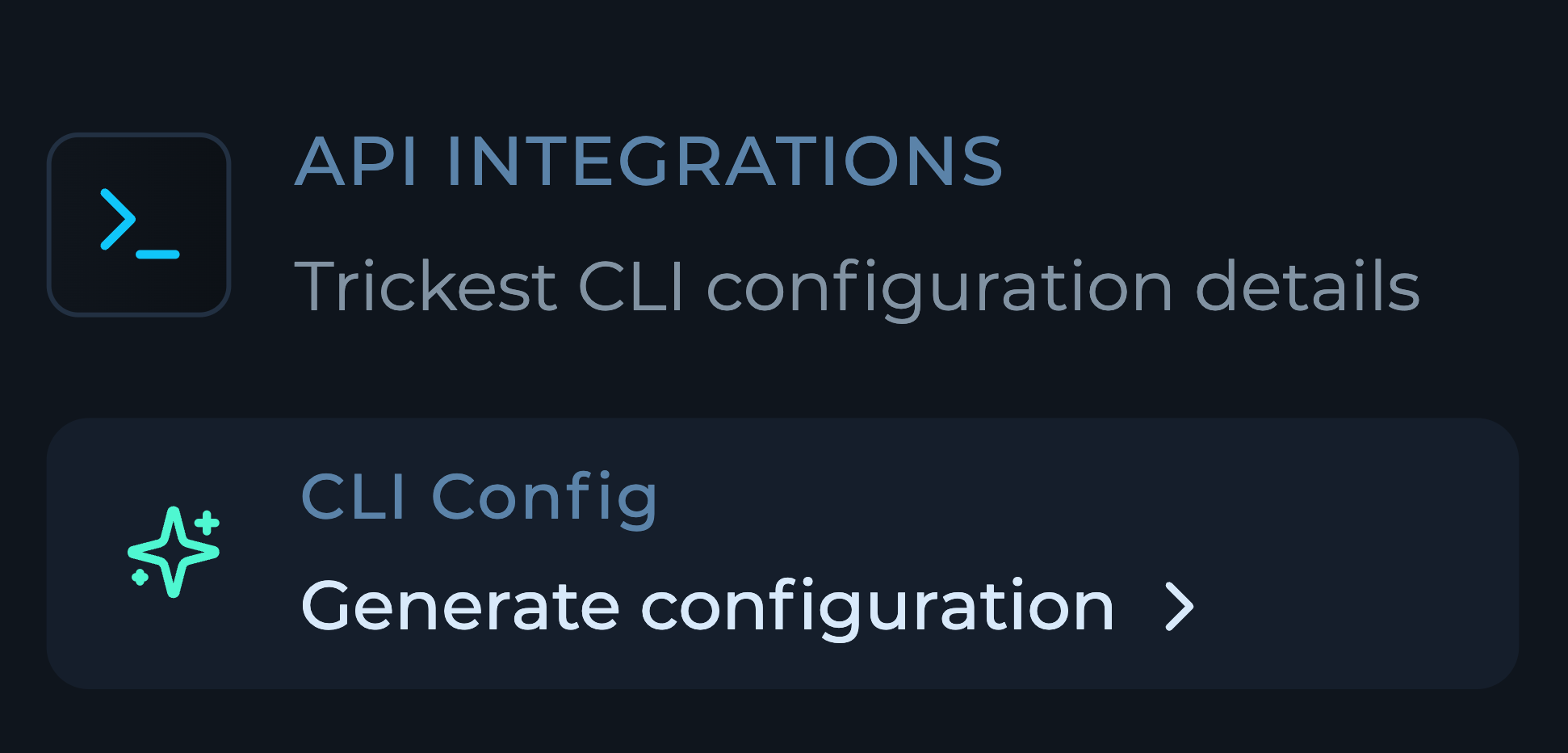 ## Auto-generate CLI Config
New feature to automatically generate CLI configuration for workflows, simplifying integration with automation scripts and CI/CD pipelines.
## Solution APIs
Solutions now have out-of-the-box APIs, enabling seamless integration with other tools and custom applications.
## Auto-generate CLI Config
New feature to automatically generate CLI configuration for workflows, simplifying integration with automation scripts and CI/CD pipelines.
## Solution APIs
Solutions now have out-of-the-box APIs, enabling seamless integration with other tools and custom applications.
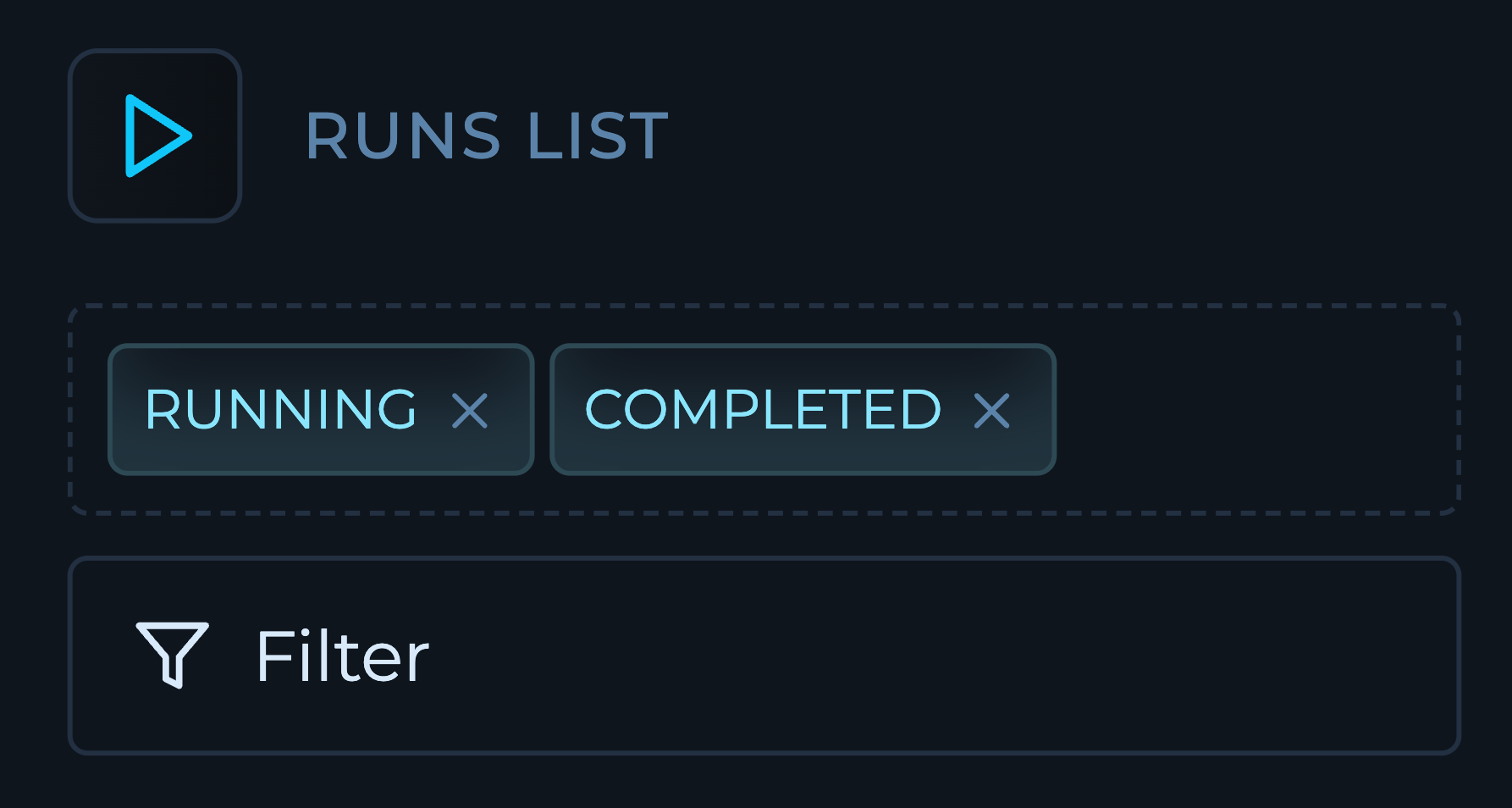 ## Workflow Run Filters
New filters for runs on workflows make it easier to find and analyze specific executions based on various criteria.
## Workflow Run Filters
New filters for runs on workflows make it easier to find and analyze specific executions based on various criteria.
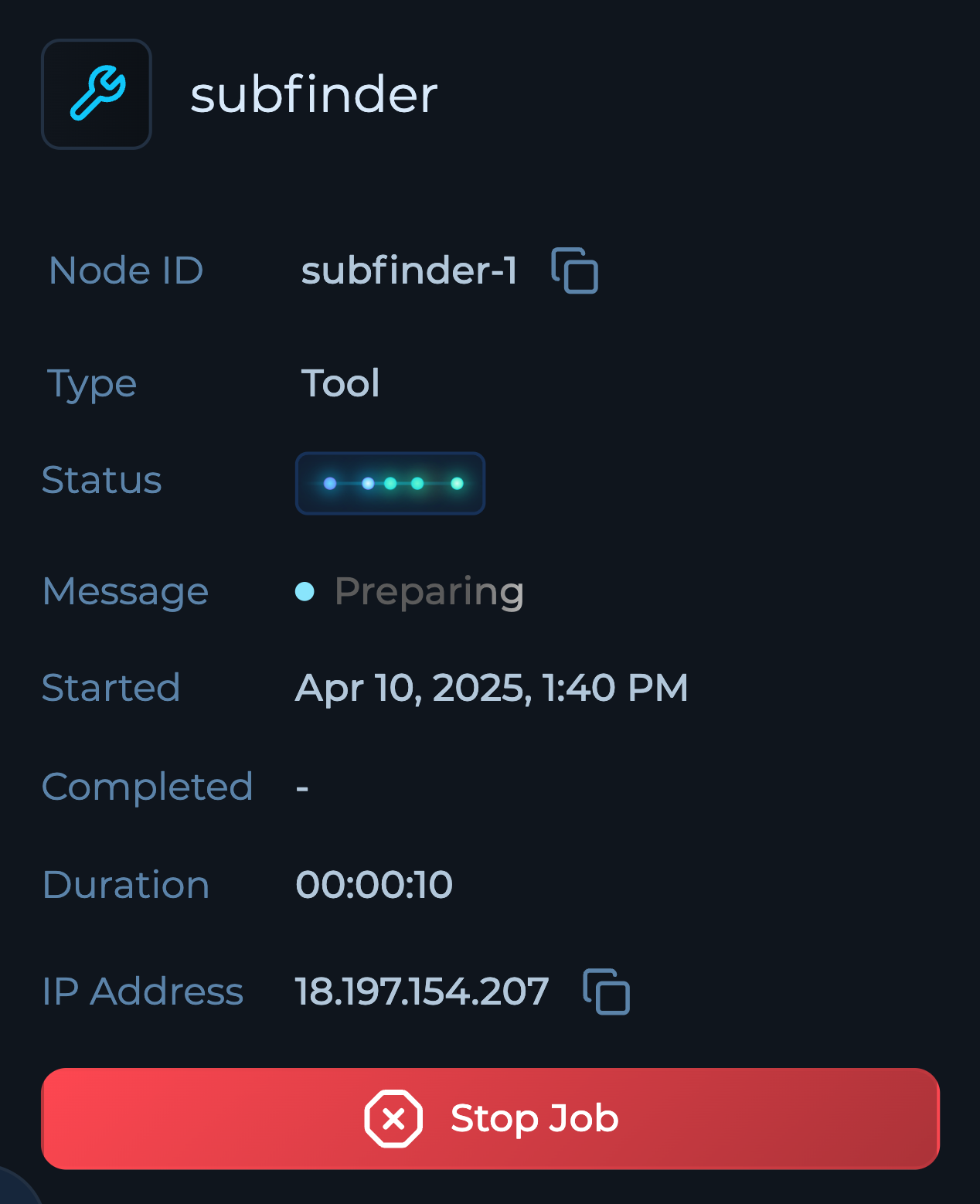 ## Single Job Stop
Users can now stop individual jobs within workflows, providing more granular control over execution and resource management.
## Single Job Stop
Users can now stop individual jobs within workflows, providing more granular control over execution and resource management.
 ## Custom Tag Colors
Tags in solutions now support custom colors, improving visual organization and making it easier to identify different categories at a glance.
## Solution Row Navigation
Solution rows now have arrow controls to navigate through them in detail view, making it easier to review sequential items without returning to the main list.
## Custom Tag Colors
Tags in solutions now support custom colors, improving visual organization and making it easier to identify different categories at a glance.
## Solution Row Navigation
Solution rows now have arrow controls to navigate through them in detail view, making it easier to review sequential items without returning to the main list.